EAS Security
 EAS Gate
 Security Tag
 EAS Accessories
 Gadgets
 Convex Mirror
 Road Barrier
 Burglar Alarm
 Calling System
Investigating Unexpected Record Changes with eHajira Audit Logs
November 10, 2026
Investigating Unexpected Record Changes with eHajira Audit Logs
An employee’s profile contains an unfamiliar value. A shift assignment looks different from the approved roster. A workspace setting has changed, but the HR officer reviewing it does not know why. These situations can interrupt daily work, particularly when attendance review or payroll preparation is approaching.
The first response should be a careful investigation. An unexpected change may result from an approved update, an entry mistake, a misunderstood setting, or an account being used outside its intended responsibilities. Understanding what happened requires more than asking who last opened the software.
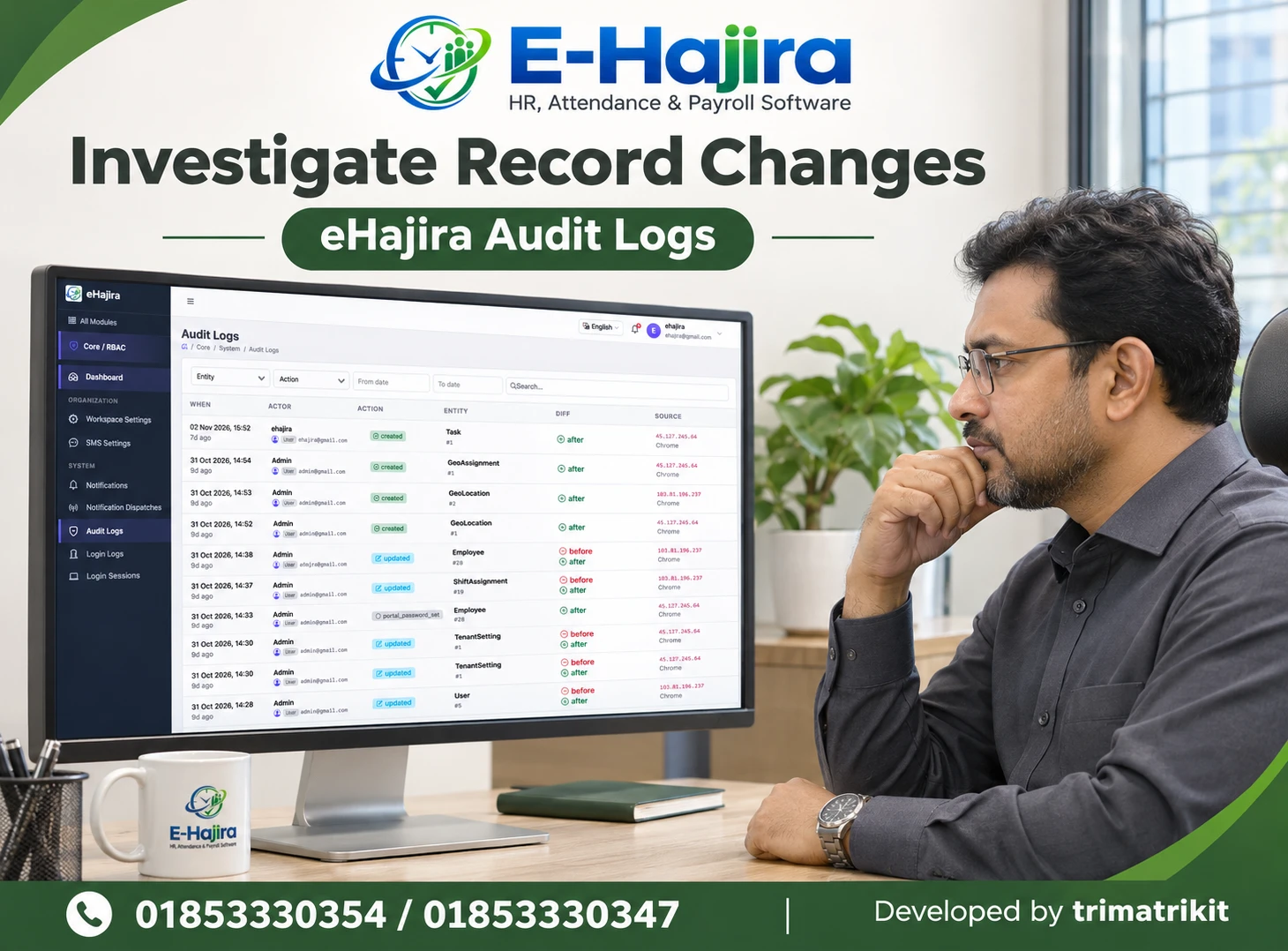
eHajira Audit Logs provides a place to examine recorded activity. In the supplied screenshot, the page shows when an event occurred, the associated actor account, the action, the affected entity, available before-and-after information, and source details.
For businesses in Bangladesh, these records can support more organized reviews across HR teams, departments, and branches. Their value depends on interpreting the evidence correctly and connecting it with the relevant business records.
This guide explains how to use the visible eHajira Audit Logs information, how to investigate unexpected changes fairly, and what organizations should confirm before relying on the feature for formal reviews.
What Are eHajira Audit Logs?
Audit logs record information about events within a system. They help an authorized reviewer examine activity associated with particular accounts and records.
The supplied eHajira screen places Audit Logs under Core / System. It includes filters for Entity and Action, date fields, and a Search field. The listing contains When, Actor, Action, Entity, Diff, and Source columns.
Visible examples include created and updated actions involving employee records, shift assignments, geographical records, tasks, and tenant settings. A separate action labelled portal.password_set also appears.
Supplier information describes eHajira Audit Logs as a record of important system activity. However, businesses should verify the actual event coverage in their configured account rather than assuming that every possible action is captured.
Why Record Changes Need Context
A change can be technically valid while still requiring a business explanation.
For example, an administrator may update an employee’s information after receiving an approved correction. Another administrator may make a similar update using an outdated document. Both actions could appear as updated events, but their business implications differ.
An audit entry can help identify the recorded account, time, and affected entity. It does not necessarily explain the authorization, intention, or supporting documents behind the change.
HR should therefore combine the log with the current record, the applicable approval, and information from the responsible team. This produces a more useful conclusion than treating the presence of an update as evidence of wrongdoing.
Relevance to Bangladesh Businesses
Consider a Bangladesh organization with a head office in Dhaka and branch teams elsewhere. Central HR may maintain employee profiles, while branch supervisors coordinate shifts and administrators manage account settings.
When several people contribute to related processes, unexpected differences can be difficult to explain through memory alone. Staff may remember approving a transfer but not the precise date on which the system was updated.
Audit logs can provide a reference point for these discussions. They help teams narrow the review to a particular record and period.
The practical benefit is better coordination. A documented investigation can distinguish an authorized change from an entry error and identify whether related attendance or payroll work needs review.
Begin with the Record That Appears Incorrect
Before searching the audit history, establish what is unexpected in the current record.
The reviewer should identify the affected employee, assignment, or setting and describe the difference precisely. “The profile is wrong” is less useful than identifying the specific field and the expected approved value.
The expected value should come from an authoritative source, such as an approved employee form, transfer instruction, or roster decision. A recollection from an informal conversation may need confirmation.
This preparation keeps the investigation focused. It also prevents staff from changing information back prematurely when the current value may reflect a legitimate update they have not yet seen.
Use the Entity Filter to Narrow the Review
The Entity filter helps organize the investigation around the type of record involved.
In the supplied screenshot, entities include Employee, ShiftAssignment, TenantSetting, Task, GeoLocation, and GeoAssignment. These names identify different record categories.
A reviewer investigating an employee profile should begin with the relevant entity rather than browsing unrelated activity. Where an entity reference number is displayed, it can help distinguish records with similar descriptions.
However, the screenshot does not establish every available filter option or whether all identifiers are searchable. Staff should test those behaviours in their own account and learn how the entity references connect with business records.
Interpret Actions Carefully
The Action column describes the recorded operation. The screenshot includes created, updated, and portal.password_set.
Created and updated indicate different types of activity. A newly created assignment may affect a workflow differently from an existing assignment being changed.
Specialized action labels require further understanding. A portal.password_set entry identifies a recorded password-related event, but it should not be interpreted as a reason to expect the password itself to appear in the log.
Organizations should ask for explanations of action types relevant to their operations. Training should connect the labels with business meaning while avoiding assumptions about events that have not been demonstrated.
Review the Actor Account
The Actor column associates an event with an account. In the screenshot, entries include account names and related user information.
This is useful evidence, but the account identity should not automatically be treated as proof of the person physically operating the device. Shared credentials, unattended sessions, or account misuse can complicate attribution.
Organizations should use individually assigned accounts and discourage credential sharing. That makes recorded account activity easier to interpret.
When investigating a sensitive issue, HR and IT should describe the evidence accurately. “The event is recorded under this account” is a more defensible statement than immediately declaring that a particular individual intentionally made an unauthorized change.
Check the Exact Time
The When column displays a specific date and time alongside a relative age.
For investigations, the precise timestamp is more useful than wording such as “nine days ago.” The review may need to establish whether a change happened before or after an approved instruction or a payroll review.
Staff should also confirm the time zone used by the interface. Bangladesh organizations should ensure that investigators understand whether displayed times correspond to their local working context.
A date filter should initially cover a reasonable period around the reported issue. If no relevant record appears, the reviewer can widen the range rather than concluding immediately that no change was recorded.
Understand Before-and-After Information
The Diff column shows before and after labels for some updated events. Created events in the screenshot show after information.
These labels indicate that additional change information may be available for review. However, the screenshot does not show expanded contents, so it does not establish which fields or values appear.
Where details can be opened, staff should compare the relevant field with the approved source. They should confirm whether the difference explains the current problem.
A before value represents information associated with that historical event. It should not automatically be restored, because a later approved change may have made the earlier value outdated.
Treat Source Information as Supporting Evidence
The Source column in the supplied screen displays IP addresses and a browser label such as Chrome.
These details may help correlate events, but they should be interpreted with care. A source address is not the same as a verified physical location or a named individual.
Several employees may use the same office network, and a browser name alone does not identify a unique device. Source information should therefore support a wider investigation rather than determine the conclusion by itself.
OWASP’s logging guidance treats user identity, source information, timestamps, and event context as useful components of application logs. It also emphasizes protecting access to those records. These are general technical principles, not proof of specific eHajira implementation details.
Investigating Employee Profile Changes
An unexpected employee profile value should be reviewed against the institution’s approved HR information.
The investigator can identify the employee record, examine relevant Employee events, and review available differences around the period when the issue may have arisen.
The investigation should then connect the recorded change with supporting documents. A department update may reflect a transfer, while a name correction may follow a revised personnel record.
After establishing the intended value, an authorized person can make any necessary correction through the normal employee management workflow. The team should also consider whether the incorrect information affected reports or other operational processes.
Investigating Shift Assignment Changes
Shift-related differences can affect how attendance information is understood. A reviewer should identify the employee, assignment period, and expected approved shift.
The screenshot includes a ShiftAssignment updated event, making this a relevant example of visible audit activity. However, the expanded values and effective dates are not shown.
The investigator should review the available audit details alongside the actual assignment record. The time when an assignment was edited may differ from the date on which the assignment takes effect.
If a correction is required, the organization should confirm whether attendance recalculation or another processing step is needed. Updating an assignment should not be assumed to resolve every downstream result automatically.
Investigating Workspace Setting Changes
TenantSetting entries appear in the supplied screenshot. Changes to settings may have a broader effect than changes to one employee record.
An administrator should first identify the specific setting involved and the intended approved configuration. The entity label alone does not reveal what changed.
Where before-and-after details are available, they can help establish the relevant difference. The investigator should then consider when the setting was used and which processes may have been affected.
Settings should be corrected by authorized staff who understand the consequences. Reverting a value without checking dependencies can create another problem or undo a valid operational decision.
Audit Logs and Login Logs Have Different Purposes
The sidebar shows Audit Logs and Login Logs as separate menu items.
Audit Logs concerns recorded system activity associated with entities and actions. Login Logs would be reviewed for the authentication information available in that configured view.
A login event does not establish every subsequent record change. Similarly, an audit entry may need to be considered alongside account access information when attribution is uncertain.
Organizations should request a demonstration of both views if they intend to use them together. The supplied Audit Logs screenshot does not establish the fields, retention, or coverage of Login Logs.
Notifications Are Another Separate Record
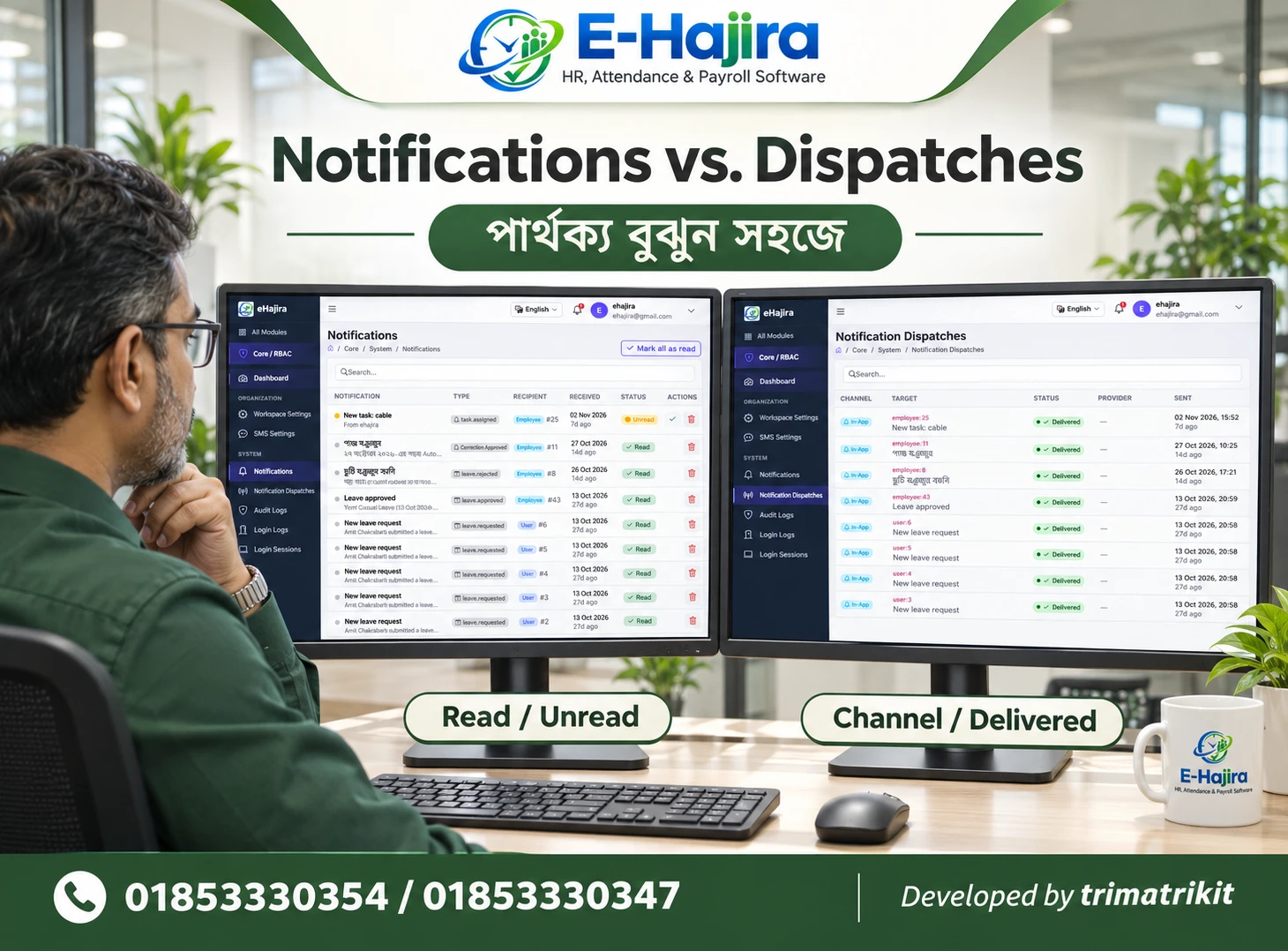
Notifications and Notification Dispatches also appear separately in the sidebar.
A notification can communicate that an event occurred. A dispatch record can concern the sending activity for an update. Neither should automatically replace the record-change information available in Audit Logs.
For example, an employee may receive an attendance-related message while an administrator reviews a change elsewhere. The communication record and the audit record address different questions.
An investigation should use the view relevant to the issue. Combining records can be helpful, but their timestamps and statuses should be understood according to their individual meanings.
Preserve Evidence Before Making Corrections
When a change is significant, the reviewer should record the relevant evidence before correcting the business data.
This may include the affected record reference, event time, associated account, visible action, and relevant difference. The organization should use an approved method that limits unnecessary exposure of personal information.
The supplied screenshot does not show an export function. Staff should not assume that a particular export format or downloadable report is available.
Where formal evidence preservation is required, the organization should confirm supported retrieval methods, retention arrangements, and the responsibilities of its technical team. A screenshot alone should not be described as a complete, tamper-proof evidence package.
Correct Through the Authorized Workflow
Audit review and data correction are different activities.
The log helps explain recorded history. Correcting a profile, assignment, or setting should take place through the appropriate authorized workflow after the intended value has been confirmed.
The visible screen does not show an undo or rollback control. Businesses should not expect automatic restoration simply because before-and-after information exists.
After correction, staff should review the current record and any affected outputs. Where the correction itself is captured by the audit system, that new event can become part of the documented history rather than an attempt to erase the earlier activity.
Confirm Coverage, Retention, and Access
Before relying on audit logs for recurring reviews, an organization should establish what is captured and for how long.
Relevant questions concern event coverage, visibility of changed values, account permissions, retention periods, and whether older records remain accessible. The screenshot does not establish these policies.
Businesses should also ask how audit data is protected from unauthorized alteration or deletion. The existence of an audit page does not by itself prove immutability.
Permissions should reflect business responsibility. HR may need access to employee-related investigations, while broader setting changes may require system administrators. The configured boundaries should be demonstrated using representative accounts.
A Practical Bangladesh Workplace Example
Imagine a service company discovering that an employee’s shift assignment differs from the approved roster during monthly attendance review.
HR identifies the employee and assignment period, then examines relevant ShiftAssignment events. An updated entry appears under an administrator account before the issue was reported.
The available difference is compared with the approved roster and the current assignment. The team discovers that a valid request was entered with an incorrect effective period.
An authorized administrator corrects the assignment, and HR checks whether attendance processing needs to be repeated. The investigation records the cause and resolution.
This is a hypothetical example of a recommended process. It does not claim that eHajira automatically determines the cause or performs the correction.
Use Findings to Improve the Process
An investigation should produce a practical improvement as well as resolve the immediate record.
If staff repeatedly choose the wrong effective period, training may be needed. If an account is shared, individual access should be reviewed. If approvals are unclear, the organization should improve how authorized changes are documented.
The goal is dependable HR information and fair accountability. Treating every unexpected change as misconduct can discourage staff from reporting mistakes promptly.
A consistent review process helps management understand what the evidence establishes, what remains uncertain, and which action is justified.
Frequently Asked Questions
1. What does eHajira Audit Logs show?
The supplied screenshot shows event time, actor account, action, entity, difference indicators, and source information. It also provides entity, action, date, and search controls.
2. Does the page capture every activity?
The screenshot does not establish complete coverage. Organizations should confirm which events are recorded in their configured account and test the activities they consider important.
3. What should HR do first when a record looks wrong?
HR should identify the specific field, affected record, and expected approved value. This creates a clear basis for searching the audit history.
4. What does Actor mean?
Actor identifies the account associated with the recorded event. It helps attribution but does not independently prove who physically operated the account.
5. Does an Admin entry prove deliberate misconduct?
No. The entry needs context, including authorization, source documents, account use, and the actual change. A log should support a fair investigation.
6. What is an Entity?
An entity is the type of record involved. Visible examples include Employee, ShiftAssignment, TenantSetting, Task, GeoLocation, and GeoAssignment.
7. What is the difference between created and updated?
They identify different recorded operations. Created concerns a new record, while updated concerns a change to an existing record, subject to the system’s event definitions.
8. What does Diff show?
The screenshot displays before-and-after indicators for some entries. Staff should open the available details to determine which changed values are actually shown.
9. Can the previous value always be restored?
The screenshot does not establish that capability. Restoring an earlier value also requires checking whether it remains correct under the organization’s current approved records.
10. Does Audit Logs have an undo button?
No undo control is visible in the supplied screenshot. Corrections should follow the relevant authorized workflow unless a supported rollback feature is demonstrated.
11. Can IP addresses identify an employee’s exact location?
A displayed IP address should not be treated as proof of exact physical location or personal identity. It is supporting information requiring context.
12. Does Chrome identify a unique device?
No. A browser label alone does not identify a particular computer or person. Additional account and operational information may be needed.
13. Why does the displayed time zone matter?
It helps investigators compare events accurately with approvals and working hours. Staff should confirm the interface’s time zone before drawing conclusions from timestamps.
14. Can HR investigate shift changes with this page?
A ShiftAssignment update is visible in the screenshot. HR should compare the available log details with the assignment record and approved roster.
15. Does correcting a shift automatically fix attendance?
That outcome should be verified. The organization may need additional processing, depending on its workflow and the affected records.
16. Are Audit Logs and Login Logs identical?
No. They are separate views addressing different types of activity. Their exact relationship and available fields should be demonstrated.
17. Can notification records replace audit history?
They should not be assumed to do so. Notifications communicate updates, while audit records concern recorded actions and affected entities.
18. What does portal.password_set reveal?
It is a visible action label associated with a password-related event. Staff should confirm its definition without expecting passwords or secret values to be exposed.
19. Are audit logs permanently retained?
The screenshot does not establish a retention period. Businesses should confirm retention and access to older records with the provider.
20. Are the logs tamper-proof?
That cannot be concluded from the interface alone. Protection against alteration, deletion, and unauthorized access requires separate verification.
21. What if no matching event appears?
Review the date range, filters, entity reference, and account permissions. Then confirm event coverage before concluding that no relevant change occurred.
22. What should businesses test during a demonstration?
They should test a representative record creation and update, examine available differences, review permissions, and confirm retention and investigation procedures.
Make Record Reviews More Reliable
eHajira Audit Logs can help authorized teams investigate unexpected changes by organizing recorded events around time, accounts, actions, entities, differences, and source information.
The strongest investigation connects those details with approved business records. It separates recorded account activity from assumptions about personal intent and verifies the operational effect before making corrections.
For an eHajira demonstration focused on audit logs and HR record management in Bangladesh, contact 01853330354 / 01853330347. Ask to review a complete example from an approved change through its audit entry and final record verification.
Recent Post