EAS Security
 EAS Gate
 Security Tag
 EAS Accessories
 Gadgets
 Convex Mirror
 Road Barrier
 Burglar Alarm
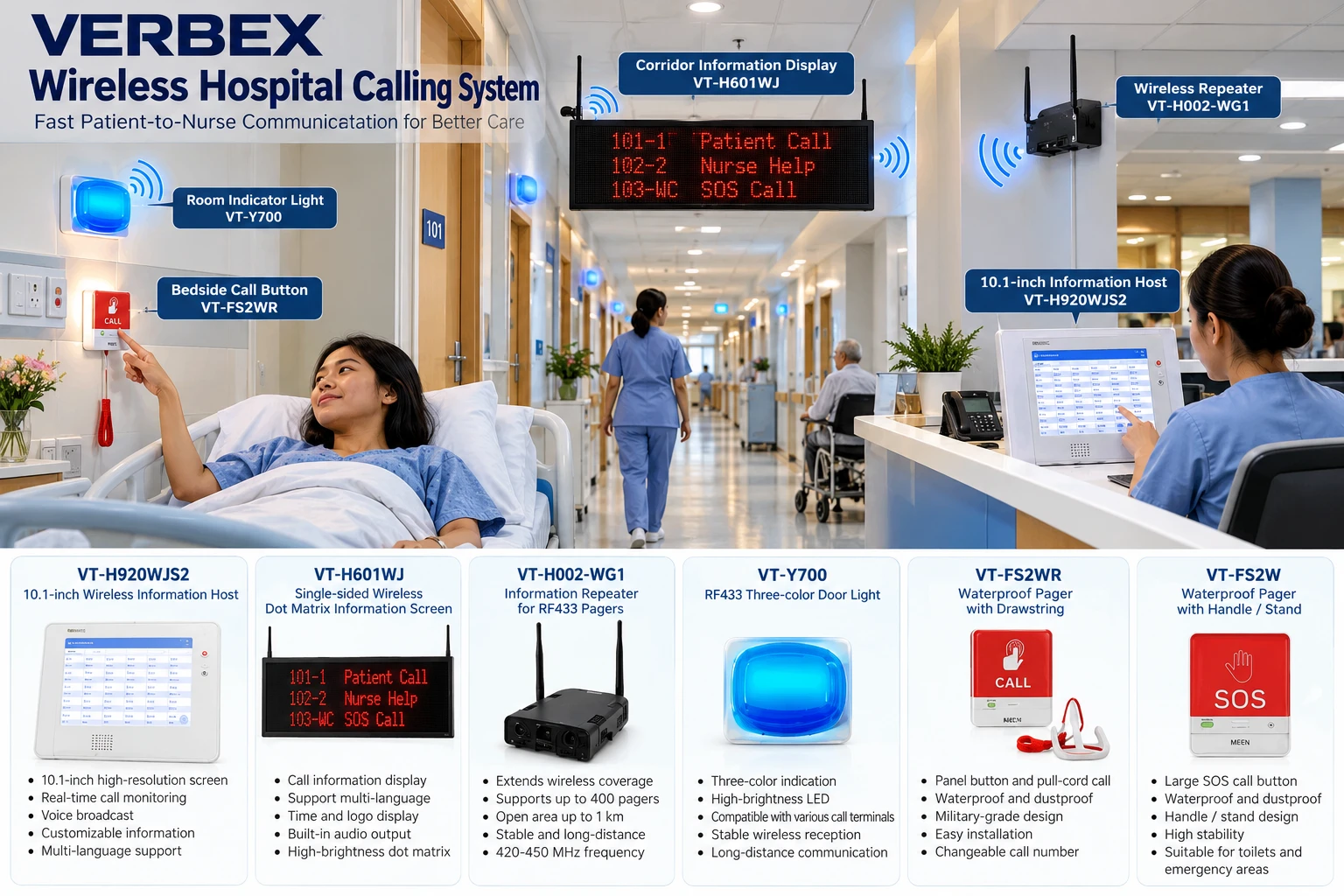
 Calling System
Managing Student Records Across School Branches with eBiddyaPro
November 13, 2026
Managing Student Records Across School Branches with eBiddyaPro
A parent contacts the head office to ask about a student’s academic details. The student’s name appears in several spreadsheets, but the branch, class, and roll information do not agree. One file belongs to an earlier session, another contains a spelling correction, and a third was prepared for a different administrative task.
For a school operating multiple branches, this kind of uncertainty can make ordinary work unnecessarily difficult. Staff need to identify the correct student, understand the current academic context, and distinguish verified information from incomplete or outdated entries.
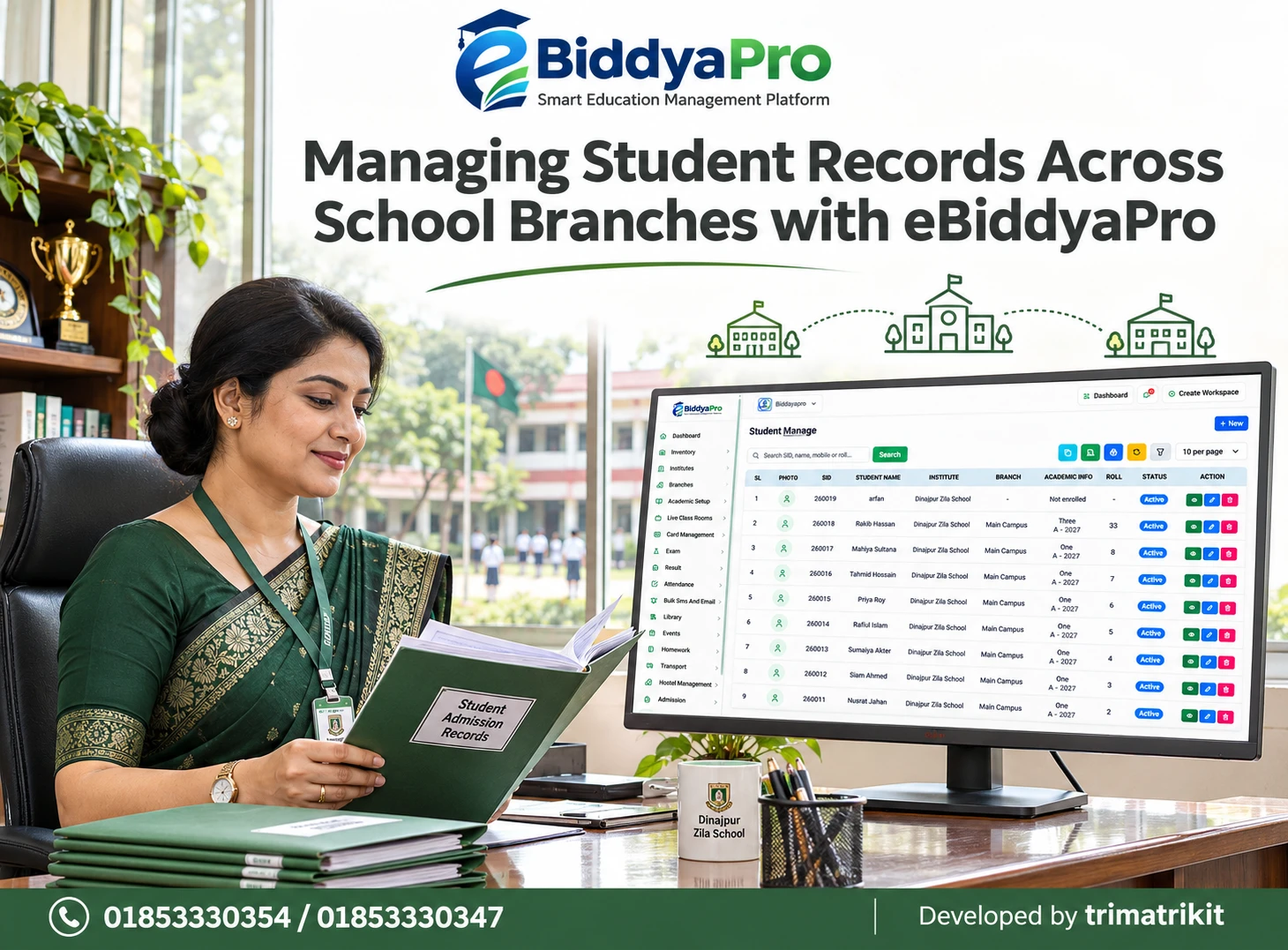
eBiddyaPro’s Student Manage page provides a central place to review student records. In the supplied interface, each row includes a photo area, SID, student name, institute, branch, academic information, roll, status, and action controls. The search field explicitly refers to SID, name, mobile, or roll.
This guide explains how Bangladesh schools can use that structure to organize student information across branches, interpret the displayed fields correctly, and establish a reliable process for reviewing changes.
Why Branch-Level Student Records Matter
A school group may share a name, management team, and academic approach while operating several campuses. Each branch still has its own student groups, classroom arrangements, and administrative responsibilities.
Two students can have the same name and roll number while attending different branches. A student may also move between sections or continue into another academic session. Without enough context, staff can easily open the wrong record or use an outdated list.
The purpose of branch-aware student management is to preserve identity while making academic placement clear. In eBiddyaPro, the institute, branch, SID, and academic information columns give administrators several details to compare before acting.
Accurate records support better decisions, but their quality depends on how schools collect, verify, and maintain the information.
The Bangladesh School Administration Context
Bangladesh schools may manage Bangla and English name spellings, multiple sections, different sessions, and families with more than one enrolled child. A central office may also answer questions on behalf of several campuses.
These circumstances make consistent identification particularly useful. A guardian’s mobile number may relate to siblings. A roll number may repeat across classes. A familiar student name may appear in more than one branch.
The supplier’s practical eBiddyaPro guide emphasizes distinguishing applicants from enrolled students and transferring approved information into the student record. That distinction is relevant when schools review whether a record has complete academic placement.
A school should therefore define how admission information becomes an established student record and how staff confirm that the intended enrollment has been completed.
Understanding the Student Manage Screen
The supplied Student Manage page displays the identifying and academic information needed for an initial review. It also includes a New button, a search area, toolbar controls, and row-level actions.
Several students are shown under Main Campus with class, section, session, and roll information. Another row displays a SID and an Active status while its branch is a dash and its academic information says “Not enrolled.”
This example is important because it demonstrates that the displayed student status and academic enrollment information are not interchangeable.
The list remains a summary. It does not reveal every profile field, the complete editing form, or the rules governing related attendance, fees, and examination records. Schools should inspect those areas separately when evaluating their workflow.
Start with the Student’s SID
The SID column provides a student identifier within the system. It offers a useful reference when names are similar or when academic details change.
In the supplied screenshot, SID and Roll are separate columns. Staff should preserve that distinction when discussing records, preparing instructions, or responding to parent inquiries.
The list alone does not establish the SID’s generation rules, its uniqueness across every institution, or whether it can ever be changed. Those properties should be confirmed during implementation.
For routine identification, administrators should use the school’s verified SID together with the student’s name and academic context. A single identifier is helpful, but staff should still confirm that they are working on the intended person’s record.
Keep SID and Roll Number Separate
A roll number usually identifies a student within a particular academic grouping. Its meaning depends on the class, section, session, and any other grouping rules used by the institution.
For example, Roll 5 in Class One is not enough to identify a student across an entire school group. Another section or branch may also have a student with that roll.
Schools should avoid using roll numbers as a substitute for the student’s identity. When reviewing an attendance issue or an examination entry, staff should compare the roll with the correct academic context and student record.
In eBiddyaPro, the separate SID and Roll columns make this distinction visible. Staff training should reinforce it.
Confirm the Institute and Branch Together
The Institute column identifies the institution associated with the displayed student, while Branch supplies the campus context.
Before editing a record, providing information, or investigating a missing student, administrators should confirm both fields. Similar branch names can otherwise lead to mistakes.
A branch shown as a dash requires investigation. It should not automatically be interpreted as a transfer, withdrawal, or software failure. Staff should open the relevant details and understand what information is missing or not being displayed.
The correct response is to compare the record with approved admission and enrollment information. Creating another student profile simply because a branch field is incomplete can introduce a duplicate.
Review Academic Information as a Combined Context
The Academic Info column in the supplied screen displays a class with section and session information beneath it. These details work together.
A student listed in Class One, Section A, for one session is not necessarily in that same grouping during another session. Schools should therefore review the complete context rather than reading only the class name.
This becomes particularly important during annual transitions. A current-looking class label can still be associated with an earlier session.
When staff prepare operational lists, they should confirm which enrollment is being displayed and whether historical information is available elsewhere. The screenshot does not establish how the page chooses among multiple academic records.
Understand “Active” and “Not Enrolled”
The supplied example contains a student whose Status is Active while Academic Info says “Not enrolled.” This shows that an Active label should not be treated as confirmation of complete academic placement.
The example does not explain why that record lacks displayed enrollment. Possible causes should be investigated through the student’s details and the institution’s workflow, rather than assumed.
Likewise, Active does not prove that the student attended today, paid fees, received a class allocation, or can access every student service.
Administrators should describe the fields precisely. Student status, enrollment, attendance, financial records, and login availability answer different questions.
Search with the Most Reliable Information Available
The search placeholder refers to SID, name, mobile, or roll. This gives staff several possible starting points when locating a record.
A known SID can help narrow identification. A name can support a broader search, while a mobile number may help locate records connected to a family. A roll should always be interpreted with its academic context.
Schools should test the exact matching behavior. The screenshot does not establish whether partial values, alternative spellings, or different mobile formats produce the same results.
If a search returns nothing, staff should investigate before assuming that the student does not exist. Spelling, formatting, access restrictions, and the current view can affect what is found.
Handle Shared Guardian Mobile Numbers Carefully
A guardian may have more than one child attending the school. The same contact number can therefore be relevant to several student records.
When searching by mobile number, staff should compare the returned students individually. A matching number does not establish which child the caller is asking about.
The school should also verify whose mobile number the search uses in its particular setup. It may be associated with student contact information or a linked guardian field, depending on implementation.
Contact details should be updated through an approved process. Before discussing private information, staff should follow the institution’s identity-verification practice rather than relying solely on a caller quoting a familiar number.
Prevent Duplicate Student Profiles
Duplicate records can separate one student’s information into several identities. This may make later attendance, fees, or examination investigations more difficult.
Before using New, staff should search existing records using the most reliable information available. A spelling difference should not automatically lead to another profile.
At the same time, matching names do not prove duplication. Schools should compare approved admission information and the relevant identifiers before deciding that records refer to the same person.
If duplicates are confirmed, investigate where related records are attached before deleting anything. The supplied screen does not show a merge function or establish how deletion affects linked information. Obtain the appropriate correction procedure.
Treat New Records and Enrollment as Related but Distinct Work
The New button provides an entry point for adding information, but its complete form is not visible in the screenshot.
Schools should confirm whether creating a record also completes academic enrollment or whether further steps are needed. The Active and Not enrolled example makes this a useful demonstration scenario.
During admission, staff should establish who verifies identity details, who assigns academic placement, and who confirms completion.
A student should not be added repeatedly because one stage remains unfinished. Instead, the responsible administrator should identify the existing record and complete the appropriate process. This preserves a clearer relationship between identity and academic history.
Review Records Before Editing
The row actions include recognizable view, edit, and delete icons. Administrators should confirm their labels and effects in the working application.
Viewing the existing details before editing helps establish what needs correction. A name spelling adjustment is different from a class change, branch movement, or status change.
Schools should define the evidence required for each kind of update. They should also determine whether a change belongs in the student profile or in a separate academic process.
After saving, reopen or refresh the record and compare the result with the approved information. A successful button click is not a substitute for checking that the intended value was stored against the correct student.
Coordinate Branch Transfers Without Losing Identity
A student moving between school branches needs a clear administrative transition. The sending and receiving offices should agree on the intended branch and academic placement.
The supplied Student Manage screen does not demonstrate a dedicated transfer function. Schools should therefore verify the approved procedure rather than assuming that editing the branch field preserves every relevant relationship.
Before proceeding, understand what happens to prior attendance, fee records, class assignments, and examination history. Confirm whether the same student identity is retained and how earlier branch information can be reviewed.
The goal is an accurate transition with understandable history, not simply a new branch label on the current list.
Manage Session Changes Through the Appropriate Process
At the start of another academic session, students may move into new classes or sections and receive different rolls.
Schools should verify how eBiddyaPro records that progression. The current list does not establish whether changing Academic Info overwrites an earlier enrollment or whether another process preserves historical placement.
This matters when staff later need to explain which class a student attended during a previous session.
Test a representative example before updating an entire branch. Review the student’s new placement and confirm where the earlier record remains available. Do not rely on assumptions about automatic promotion or historical retention.
Coordinate Attendance, Fees, and Examination Records
Accurate student identity provides a foundation for other school functions. However, a correct Student Manage row does not prove that every connected module is configured correctly.
If a student is missing from an attendance list, review the selected branch, session, class, section, and enrollment. If a fee record appears unexpected, check the relevant financial assignment. Examination participation may require its own academic setup.
These investigations should start from the same verified student identity while respecting the separate rules of each process.
The supplier identifies eBiddyaPro as a platform covering attendance, fees, examinations, and results. The precise relationships between those functions and a particular student record should still be demonstrated in the school’s environment.
Control Access Across Branches
Centralized records need appropriate access boundaries. A branch administrator may need local student information, while a designated head-office user may require a broader view.
The screen itself does not prove that every user can view all branches or that branch restrictions are automatically enforced.
OWASP’s authorization guidance recommends giving users only the permissions needed for their work and checking access consistently. Applied to student administration, this means reviewing who may view, edit, delete, or export records. It is a general security principle, not a certification of a particular eBiddyaPro setup.
Schools should test configured permissions with representative user accounts, including attempts to access another branch’s information.
Handle Exports and Printed Copies Responsibly
The toolbar contains controls that should be inspected for their exact functions and output options.
Before exporting or printing, confirm whether the output contains all records, the current results, or only the displayed page. Check which fields are included and whether sensitive information is necessary for the task.
A downloaded file becomes a separate copy that may remain after the main record changes. Staff should therefore know where approved copies are stored and who can access them.
Student lists should not be circulated through unrestricted links or unrelated messaging groups. Sharing should follow the institution’s authorized purpose and recipient controls.
A Practical Multi-Branch School Example
Consider a hypothetical school group with a main campus and a second branch. A guardian contacts the central office about two children studying in different classes.
The administrator searches using the verified family contact number, then compares each student’s name, SID, branch, and academic information. One record appears complete, while another lacks displayed enrollment.
Instead of creating a replacement profile, the administrator asks the responsible branch to verify the existing record and complete the correct academic process.
This example illustrates a practical approach. It is not a claim about a particular customer’s results or proof that every step is automated in eBiddyaPro.
Introduce a Repeatable Review Process
A useful implementation can begin with a small, verified group from each branch. Staff can test searching, viewing, editing, and confirming academic context before expanding their work.
The school should assign responsibility for unresolved records and define how corrections are approved. Records showing missing branches, unclear academic information, or possible duplication deserve targeted investigation.
Schools can measure their own improvement by tracking correction frequency, unresolved entries, and time spent finding the correct student. Claims about guaranteed savings should not replace actual measurement.
Regular review helps keep the central list aligned with the students the institution is serving.
Frequently Asked Questions
1. What is Student Manage in eBiddyaPro?
It is the page for reviewing student records. The supplied screen displays SID, name, institute, branch, academic information, roll, and status, with search and action controls. Full profile details should be inspected separately.
2. Why should a multi-branch school use branch information?
A branch identifies the campus context of the displayed record. It helps distinguish students with similar names or rolls. Staff should compare branch information with institute and academic details before making changes.
3. Is SID the same as roll number?
No. They appear in separate columns and serve different identification purposes. A roll must be interpreted within its academic grouping. Confirm the SID’s precise generation and uniqueness rules during implementation.
4. Can two students have the same roll?
Rolls may repeat across different academic groups, depending on the school’s rules. Staff should compare class, section, session, and branch. A roll alone should not identify a student across the entire organization.
5. Can a student be Active but Not enrolled?
The supplied screen shows that combination. It establishes that the displayed fields are separate, but it does not explain the cause. Open the record and verify the intended academic enrollment before deciding what needs correction.
6. Does Active mean the student attended today?
No. Student status and daily attendance are different information. To confirm presence, review the appropriate attendance record for the correct date and academic group.
7. Does Active prove that fees are paid?
No. Financial status must be checked in the relevant fee records. An Active label on Student Manage should not be used as evidence of payment, a cleared balance, or a particular financial arrangement.
8. What can staff search for?
The placeholder refers to SID, name, mobile, or roll. Test exact and partial matching behavior in the application. After finding results, compare the student’s identity and academic context before acting.
9. What if a mobile search returns several students?
Review each result separately. Siblings may share a guardian’s contact number. Confirm which student the inquiry concerns rather than assuming that the first matching record is the intended one.
10. What should staff do when search returns nothing?
Check spelling, number formatting, access scope, and the current view. Try another verified identifier. An empty result does not automatically mean a new student record is needed.
11. What does a dash in Branch mean?
It indicates that no branch value is displayed in that row. The reason must be investigated through the record and applicable workflow. Do not automatically interpret it as withdrawal, transfer, or deletion.
12. How should duplicate profiles be investigated?
Compare approved identity and admission information, then inspect related records. Matching names alone are insufficient. Confirm the correction procedure before deleting or attempting to combine information.
13. Does New automatically complete admission?
The screenshot does not establish the complete workflow. Ask for a demonstration showing record creation and academic enrollment. Confirm how staff know that all required admission stages are complete.
14. Can names be corrected?
An edit action is visible, but field availability and permissions should be verified. Use approved evidence for corrections and confirm the saved result. Review related documents if they contain the earlier spelling.
15. Does changing a branch transfer all history?
That behavior is not demonstrated. Verify the approved transfer process and its effect on attendance, fees, examinations, and historical enrollment. Do not assume that editing one field completes every related task.
16. Should staff create another profile after a branch move?
Creating another profile can fragment information. First investigate how to retain the existing identity through the approved process. Confirm the correct method with the implementation or support team.
17. How should a new academic session be handled?
Use the institution’s verified progression or enrollment process. Confirm the new class, section, session, and roll, and check that previous academic information remains available where required.
18. Can Student Manage prove examination eligibility?
Not by itself. Examination participation may depend on separate setup and institutional decisions. Review the relevant examination configuration using the verified student identity and academic context.
19. Can every branch user see all student records?
The screenshot does not establish access boundaries. Visibility should follow configured roles and permissions. Schools should test local and central accounts to confirm that the intended restrictions work.
20. Does deleting a record simply make it inactive?
No such equivalence is shown. Deletion and status changes can have different effects. Review linked records, retention needs, and recovery options before using the delete control.
21. Does an export contain the entire student list?
The output scope is not established by the screenshot. Test the relevant control and compare the result with the intended selection. Check included fields before sharing or storing the file.
22. What should schools verify before wider rollout?
Test identification, search, academic placement, corrections, permissions, and output scope with representative records. Include incomplete enrollment and branch-change scenarios. Resolve uncertainty before applying changes to a larger student population.
Build a Reliable Student Record Process with eBiddyaPro
Managing student records across branches requires accurate identity, clear academic placement, and controlled updates. eBiddyaPro’s Student Manage screen brings several of those details into one reviewable list.
Use the SID alongside the student’s name and academic context. Investigate incomplete enrollment, confirm branch assignments, and verify the result of every significant change. Coordinate related school functions through the appropriate processes.
To discuss student record management for your institution or arrange an eBiddyaPro demonstration, contact 01853330354 / 01853330347.
Recent Post