EAS Security
 EAS Gate
 Security Tag
 EAS Accessories
 Gadgets
 Convex Mirror
 Road Barrier
 Burglar Alarm
 Calling System
From Student Records to Daily Operations: Exploring eBiddyaPro
November 15, 2026

From Student Records to Daily Operations: Exploring eBiddyaPro
A student record becomes valuable when it helps someone complete a real task. A teacher needs the correct attendance list. An accounts officer needs to identify the student associated with a payment. An academic coordinator needs to confirm which subjects belong to a class. A guardian needs accurate information about their child.
When these activities rely on separate notebooks, spreadsheets, and messages, employees may repeatedly enter or verify the same details. A name corrected in one file may remain incorrect elsewhere. A class change may reach the teacher but not the accounts office.
For educational institutions in Bangladesh, exploring eBiddyaPro means examining how student information can support everyday academic and administrative work. The important question is not simply whether the platform stores records. It is whether the proposed setup helps authorized users maintain dependable information and use it appropriately.
This guide discusses that progression, from student profiles to attendance, homework, examinations, fees, and management reporting. It also explains which capabilities should be demonstrated before an institution includes them in its implementation plan.
Understanding the Research and Product Evidence
UNESCO describes education management information systems as frameworks that collect, process, and analyze education data to support administration, planning, and decisions. This provides a useful principle: information management should serve institutional work rather than end with data entry. It does not establish that a particular commercial product meets every institutional requirement.
The supplier presents eBiddyaPro as a Smart Education Management Platform and encourages institutions to assess relevant workflows before selecting a configuration. Its published guide discusses areas such as student information, academic setup, attendance, examinations, fees, and communication. Module availability and implementation details require confirmation.
The supplied screenshots provide more specific evidence of interfaces for student management, parents, class-subject configuration, schedules, homework, attendance, fee types, and other administrative areas.
The recommendations below combine those visible interfaces with practical evaluation guidance. They do not claim that all modules are automatically connected, included in every package, or independently tested.
Why Daily Operations Should Shape Software Selection
An institution may have thousands of stored records but still struggle to answer simple operational questions. The problem may be incomplete information, unclear responsibilities, or an unsuitable reporting process.
For example, an attendance list can be technically available while containing students from the wrong academic session. A fee record can exist while its relationship to the student remains unclear.
Software selection should therefore begin with the tasks employees perform. Identify who needs information, when they need it, and what decision follows.
For a school in Bangladesh, the relevant examples might include preparing a class list, reviewing attendance, recording payments, or producing examination documents. These are illustrative workflows, not findings from a nationwide school survey.
Student Identity Is the Starting Point
A dependable student profile gives different departments a common reference. Names alone are insufficient because two students may share similar names or use different spellings.
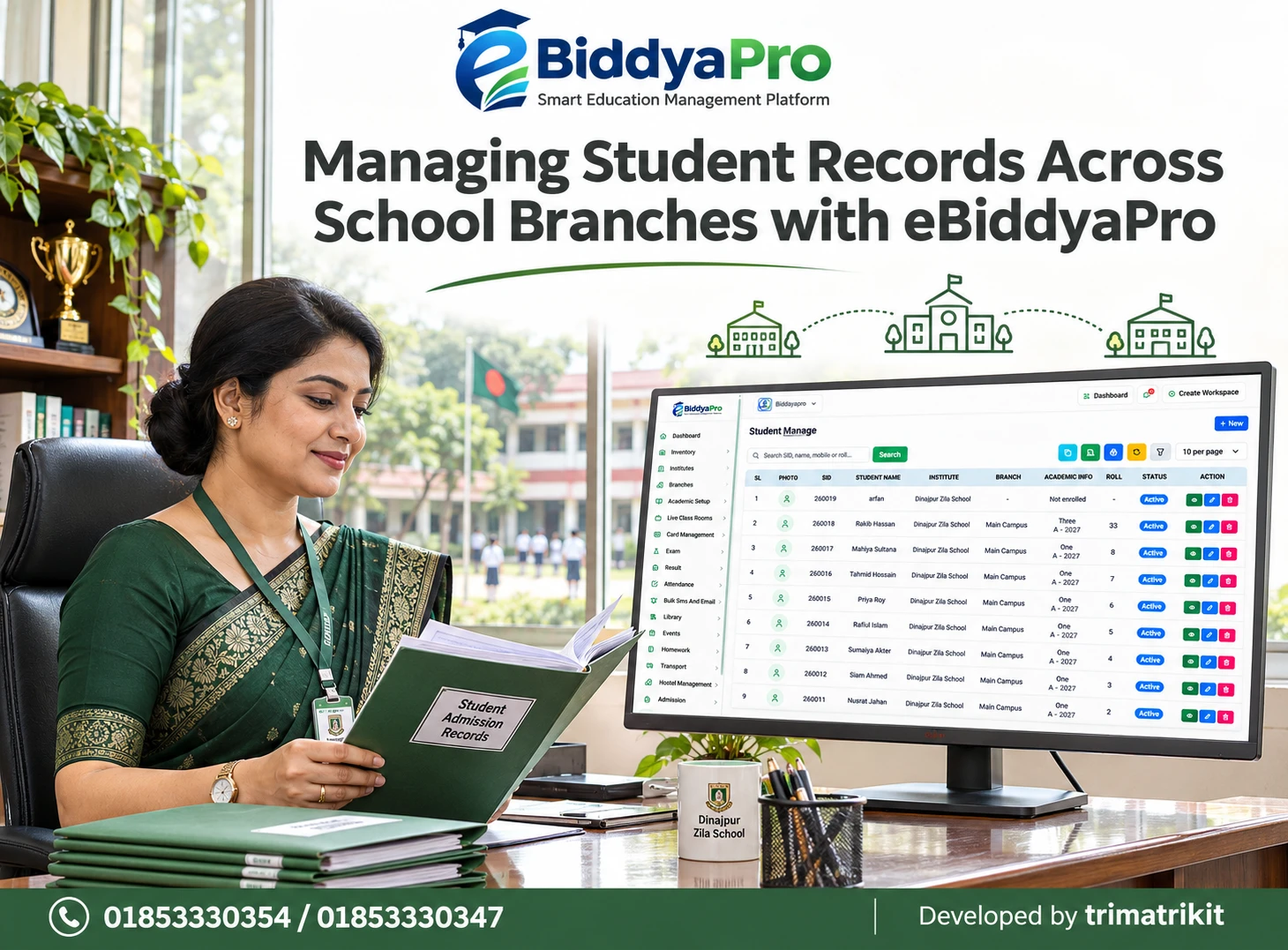
The supplied Student Manage interface displays a student identifier alongside the student name, institute, branch, academic information, roll, and status. These fields serve different purposes and should remain distinguishable.
An internal student identifier should not be confused with a class roll or an external examination registration number. A roll can change as a student moves between classes, while the institution still needs to recognize the same individual.
During evaluation, ask how eBiddyaPro handles duplicate profiles, corrected names, and students with similar details. A stable identity structure reduces ambiguity in later work.
Admission and Enrollment Are Different Stages
Collecting an applicant’s information is not necessarily the same as enrolling that person in a class.
A complete process should distinguish an application, an approved admission, and an academic assignment. Otherwise, staff may see a student profile and assume that every required step has been completed.
In the supplied student list, an example record appears with academic information marked “Not enrolled.” This illustrates why profile existence should not be treated as proof of a completed class assignment.
Ask the supplier to demonstrate how the proposed setup moves a fictional applicant into an enrolled student record. Check which details are reused, what requires approval, and how incomplete cases are identified.
Academic Setup Gives Records Their Operational Meaning
Academic sessions, classes, sections, subjects, and shifts define the structure within which student information is used.
If these records are inconsistent, daily work inherits the inconsistency. A teacher may select the wrong section because two names look similar. An administrator may generate a report for an outdated session.
The supplied eBiddyaPro navigation includes separate academic setup areas. Institutions should use these deliberately, with approved names and clearly defined relationships.
Before importing students, establish the intended structure and test it with a small sample. Confirm how a new session is created and whether earlier records remain accessible after students advance.
Class-Subject Configuration Connects Academic Planning
Creating a subject and assigning that subject to a class are separate administrative actions.
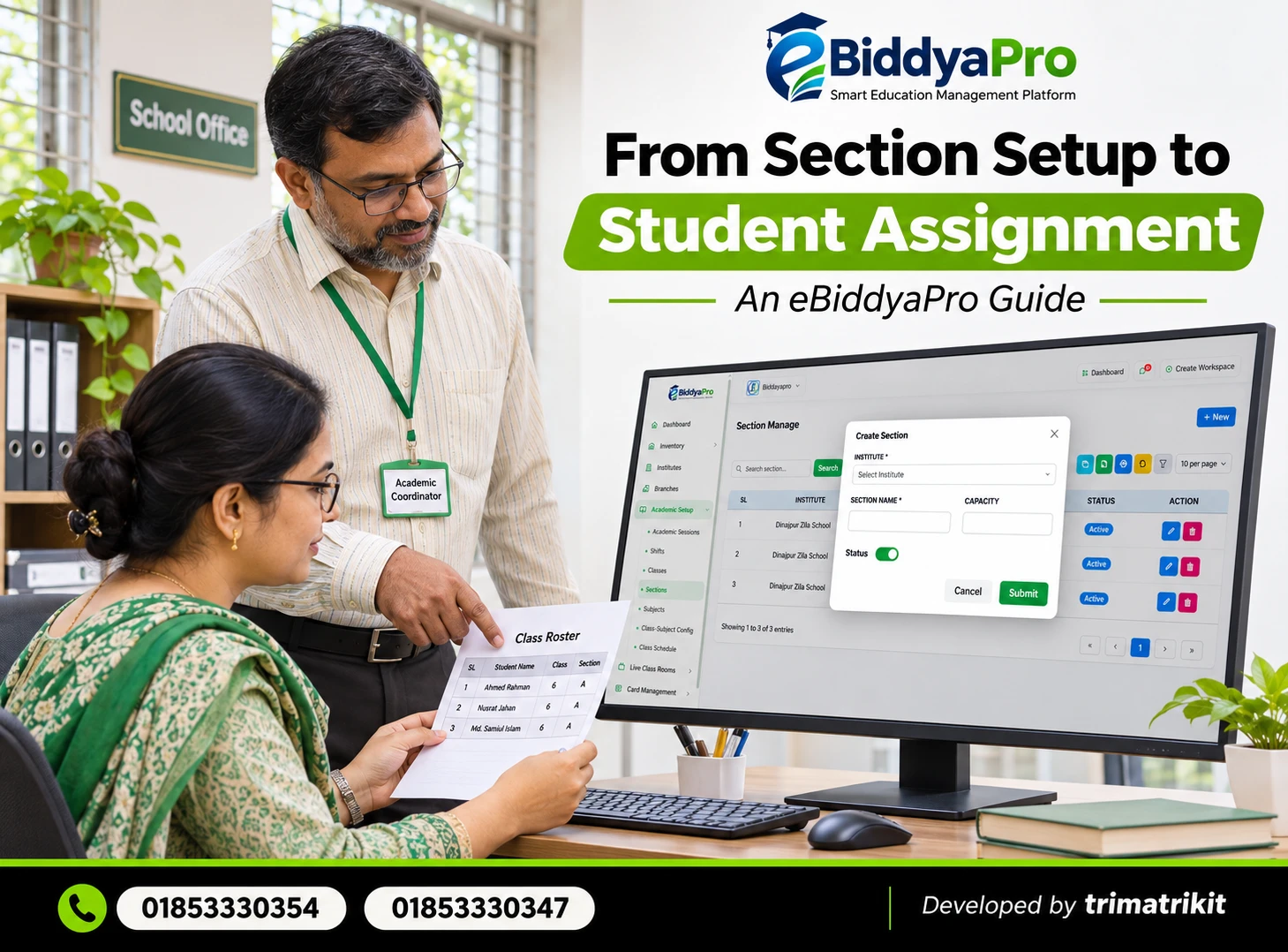
The supplied Class-Subject Configuration Manage screen displays Institute, Session, Class, Subject, and Status. This provides a place to review the relationship between a class and its subject set.
An institution should compare these assignments with its approved academic requirements. A sample configuration containing three subjects should not be interpreted as an official curriculum.
For schools operating Bangla medium and English version, demonstrate how the two groups remain identifiable. The supplied configuration list does not show a separate Version column, so the complete method should be verified rather than assumed.
Attendance Turns Student Lists into Daily Records
A class list becomes operational when teachers use it to record attendance for the correct date and group.
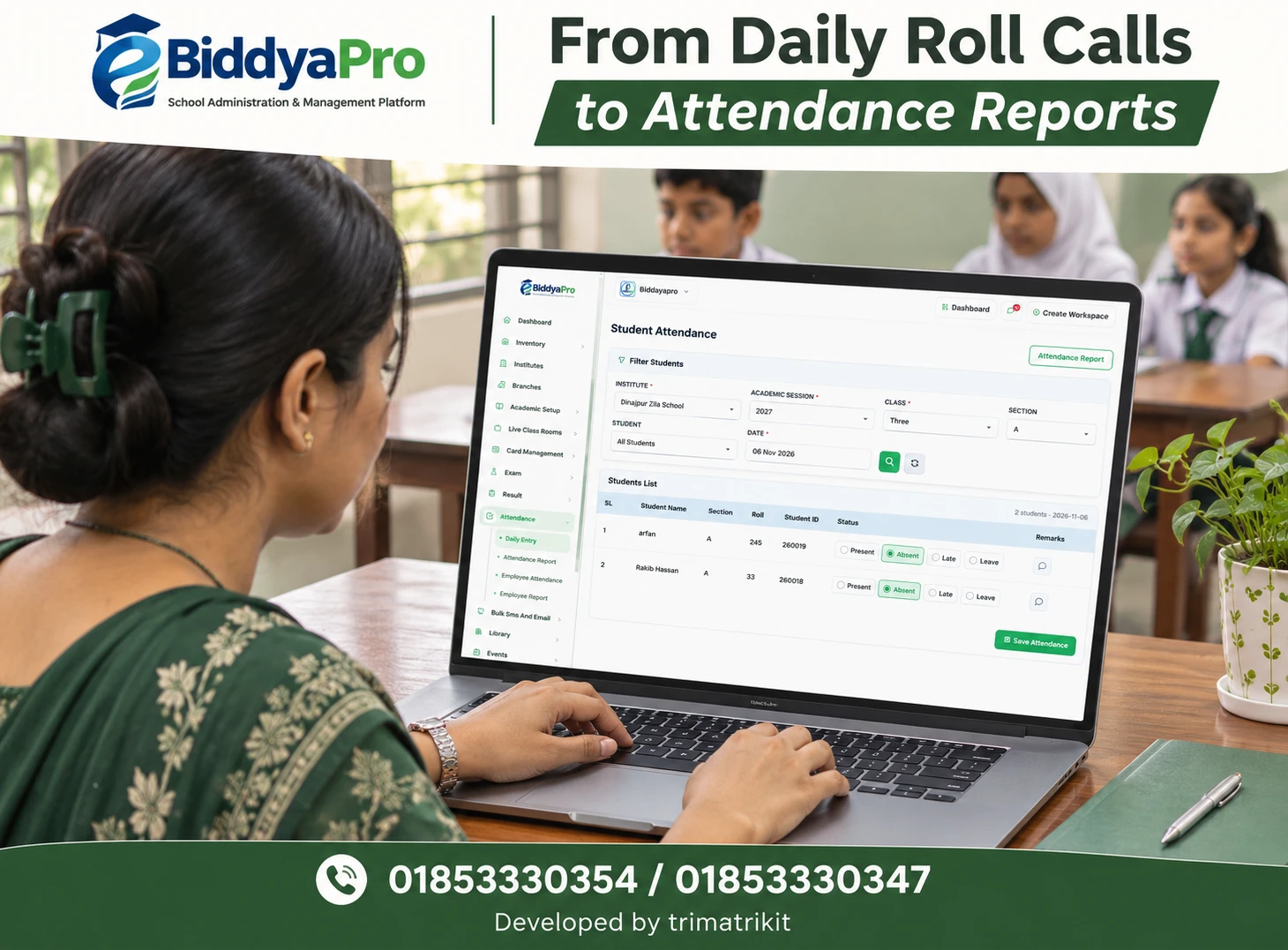
The supplied Student Attendance screen includes institute, academic session, class, section, student, and date filters. It also shows Present, Absent, Late, and Leave options.
These controls can support a structured daily process, but their accuracy depends on selecting the correct scope. A teacher should verify the date and student group before recording statuses.
Missing attendance information should also be distinguished from confirmed absence. If a record is incomplete, staff should investigate whether the entry was omitted or the wrong group was selected before communicating a conclusion.
Attendance Information Should Lead to Appropriate Follow-Up
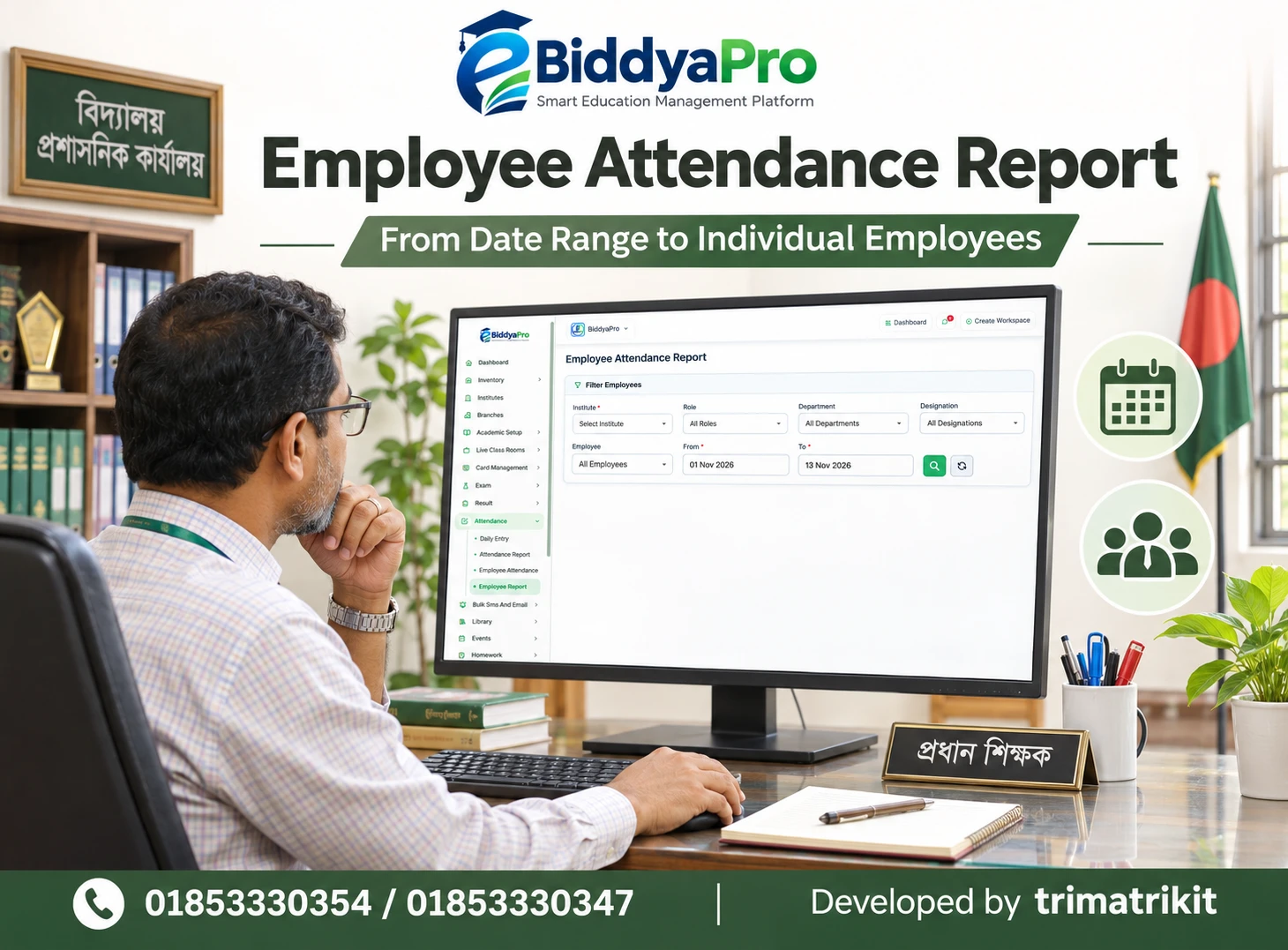
The purpose of attendance review is not merely to produce a total. It can help staff identify cases requiring attention.
For example, repeated unexplained absence may justify contacting a guardian through the institution’s approved process. An unusual pattern may also reveal an administrative problem, such as a student remaining on an outdated class list.
A report provides evidence to investigate; it does not explain every cause.
If automatic guardian alerts are required, test them separately. Recording a phone number or selecting an attendance status does not prove that a message is sent, delivered, or read. Communication channels and delivery records need their own evaluation.
Parent Records Support Reliable Communication
Student information becomes more useful when linked to accurate guardian details.
The supplied Parents Manage screen shows parent names, username or phone information, branch, children, and status. This suggests a relationship between guardian records and associated students, but the full access and communication behavior requires demonstration.
A shared phone number should not automatically be treated as proof of a shared family relationship. Staff should verify the connection.
Likewise, a parent record marked “No Login” should not be interpreted as evidence that the guardian is unreachable. Account availability and telephone communication are separate matters. The institution needs a clear process for maintaining both.
Class Schedules Organize Time and Responsibility
A schedule connects subjects, teachers, periods, and classrooms.
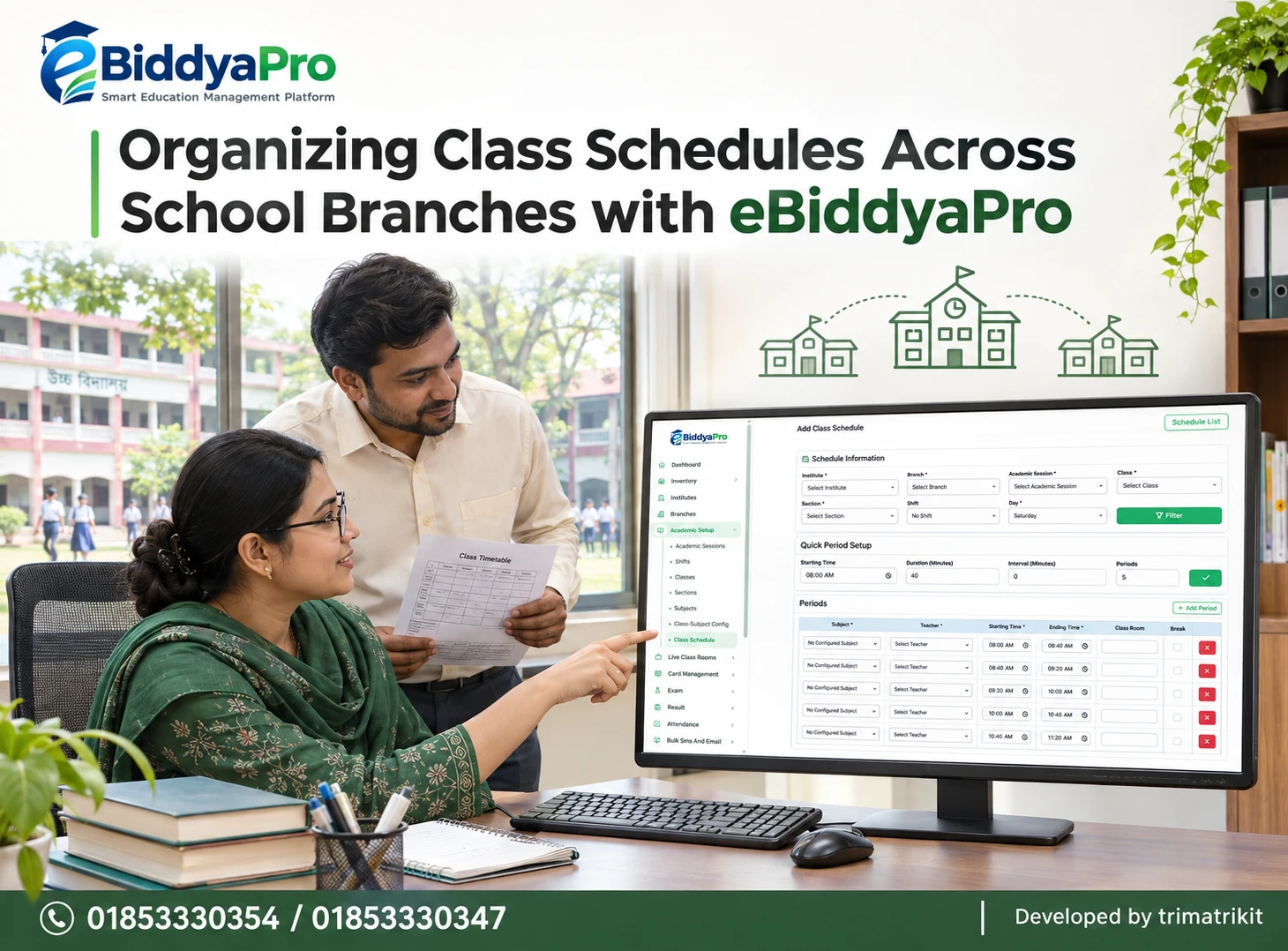
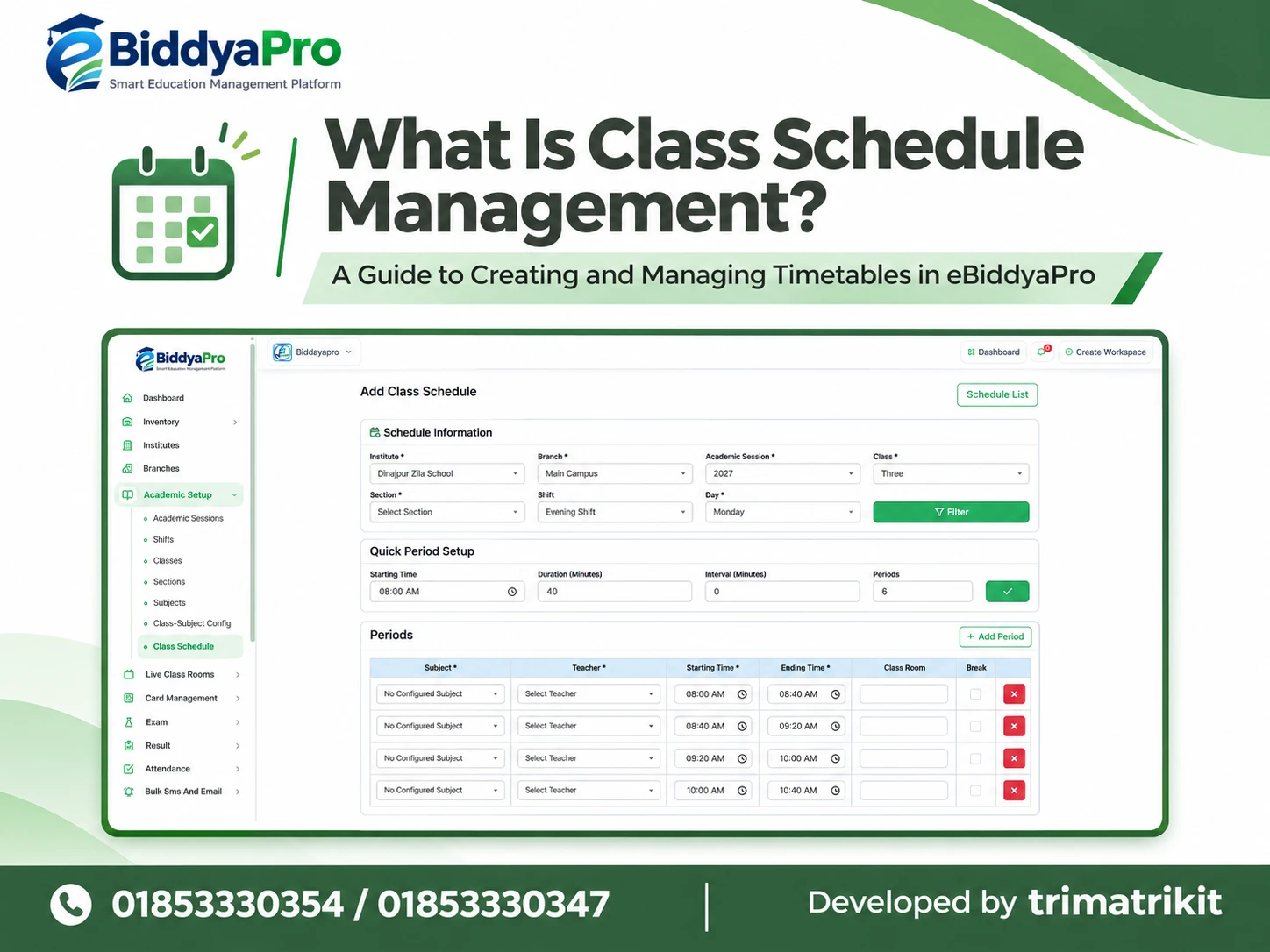
The supplied Add Class Schedule interface includes academic filters and period rows with subject, teacher, starting time, ending time, classroom, and break information. It also displays a quick period setup area.
These controls can help organize timetable preparation. However, an institution should test whether scheduling conflicts are detected and how changes affect existing schedules.
A timetable that appears complete may still contain an unsuitable teacher assignment or overlapping responsibility. The academic coordinator should review the proposed result rather than assume that entering periods guarantees a workable routine.
Homework Uses Academic Information for Targeted Tasks
Homework management demonstrates how academic setup can influence daily teaching.
The supplied Add Homework form includes institute, session, class, section, subject, title, homework date, submission date, content, and attachment controls. It also shows a Publish Later option.
Selecting the correct group matters as much as writing the assignment. “All Sections” should be used only after staff understand which students it includes.
The form does not establish supported attachment formats, student upload capabilities, or automatic grading. Publication timing and the effect of saving should also be demonstrated. A visible control identifies something to evaluate, not its complete behavior.
Examinations Require More Than a Subject List
Examination administration brings together student groups, subjects, assessment components, and approved rules.
A subject assignment can support this process, but it does not establish full marks, pass conditions, or the treatment of absent candidates.
When evaluating eBiddyaPro, use a fictional examination that reflects your institution’s actual assessment structure. Enter ordinary marks and representative exceptions, then inspect the outcome.
Do not assume that a generic grading example matches the applicable academic requirements. The institution should approve the rules and confirm that the configuration applies them as intended.
Results Should Be Explainable and Reproducible
A result sheet is useful when staff can explain how its figures were produced.
Test missing marks, corrected entries, absent students, and any applicable optional subjects. Compare the result with an independently reviewed expected calculation.
Then examine the document itself. Student identity, session, class, subject names, and institutional branding should appear correctly.
Ask what happens after a result has been published or printed. If a mark changes later, the institution needs to understand whether the earlier result remains available and how a corrected version is distinguished. Historical behavior should be demonstrated explicitly.
Fee Types, Assigned Charges, and Payments Are Separate
The supplied Fee Types screen shows institute-specific fee names and statuses. Examples include admission and books-related fees.
A fee type defines a category. It does not, by itself, establish how much a particular student owes or whether money has been received.
The accounts team should test the complete sequence from an assigned charge to payment recording and the resulting balance. Include a partial payment, an approved concession, and an opening balance if those cases are relevant.
Clear separation between these concepts helps prevent a common administrative misunderstanding: a visible fee entry is not proof of a completed payment.
Reports Should Answer Defined Questions
Institutions need different reports for different purposes.
A head teacher may want an attendance summary, while an accounts officer needs outstanding balances. An academic coordinator may need a class-subject list rather than a general dashboard.
Before accepting a report, identify its unit and scope. Does it count students, attendance days, transactions, or assigned charges? Which session, branch, and date range does it cover?
UNESCO’s EMIS resources emphasize standards, definitions, and naming conventions as elements of data quality. At school level, the practical implication is to make report meanings consistent and understandable. This is a general management principle rather than a certification of eBiddyaPro.
Multiple Branches Need Consistent Identities
When an institution operates several branches, consistent records become particularly important.
The supplied interfaces show institute and branch information in several administrative lists. These fields should reflect real organizational relationships.
However, visible branch fields do not prove that every user can access only their assigned location or that a central dashboard combines every branch correctly.
Demonstrate a local administrator and a central administrator using fictional records. Check searches, reports, and exports for the intended scope. Also test how a student transfer affects current assignments and historical information.
Supporting Modules Should Match Institutional Needs
The supplied eBiddyaPro interfaces include areas related to hostel administration, library categories, suppliers, and transport personnel.
These may be relevant to institutions with residential accommodation, book lending, inventory activity, or transport operations. Their usefulness depends on the actual workflow required.
For example, a hostel directory containing a supervisor and contact number does not establish a complete resident allocation system. Similarly, a driver record does not prove route tracking or vehicle monitoring.
Assess supporting modules on their own merits. A school should not assume that a visible menu covers every operational detail suggested by its name.
Access and Responsibilities Matter as Much as Features
Connected information requires clear boundaries.
A teacher may need attendance and marks for assigned classes. Accounts staff may need fee records. Administrative leaders may need broader reports.
Ask the supplier to demonstrate the available permissions with separate user accounts. Review exports and document access as well as ordinary screens.
The institution should also decide who can correct student identities, change academic assignments, approve financial adjustments, and remove records. A clear division of responsibilities helps prevent an update in one area from creating unexplained consequences elsewhere.
Implementation in Bangladesh Requires Practical Planning
An institution should evaluate eBiddyaPro using its own language, academic structure, available equipment, and staffing arrangements.
Test Bengali and English names, long subject titles, and documents containing both languages. Review the output on the devices and printers staff will actually use.
Connectivity deserves similar attention. Confirm whether any offline operation exists and establish a fallback process where it does not.
Training should follow job responsibilities. A short general presentation may not prepare a teacher to handle an incorrect attendance entry or an accounts officer to investigate an unexpected balance. Users need practice with the situations they will encounter.
Move Existing Records Carefully
Migrating old records is an opportunity to correct problems before they spread.
Identify duplicate students, inconsistent class names, outdated guardian contacts, and uncertain balances. Agree on the approved source for each type of information.
Start with a small sample and inspect individual records after import. Matching the total student count is insufficient if students are assigned to the wrong classes.
Retain the original source records according to the institution’s approved process. Before wider migration, clarify how errors are corrected and which information remains outside the new system.
Measure Improvement Through Real Work
A successful implementation should produce observable administrative improvements.
Measure comparable tasks before and after a pilot. Examples include preparing a class list, finding a guardian contact, reviewing incomplete attendance, or producing a fee summary.
Also consider correction frequency and staff confidence. Faster entry is not necessarily an improvement if it produces more mistakes later.
These measurements provide evidence specific to the institution. They avoid unsupported promises that every school will save the same amount of time or achieve the same results.
Frequently Asked Questions
1. What is eBiddyaPro?
The supplier presents eBiddyaPro as a Smart Education Management Platform. Its published guide discusses academic and administrative functions. Institutions should confirm the exact modules, integrations, and configuration included in their proposed package.
2. How can student records support daily operations?
A dependable student identity can help staff locate the correct attendance, academic, and financial information. The benefit depends on the quality of those relationships and the implemented workflows. Automatic connections should be demonstrated rather than assumed.
3. Is an education management system just a digital register?
It can support more than record storage when information is used for administration and decisions. However, a particular product’s operational capabilities depend on its implementation. A digital register alone does not establish integrated management.
4. Does creating a student profile complete admission?
Not necessarily. Application, admission approval, and academic enrollment may be separate stages. The supplied interface includes an example marked “Not enrolled,” showing why profile creation should not be treated as a complete academic assignment.
5. Should student IDs and class rolls be identical?
They serve different purposes. An internal identifier recognizes the student, while a roll identifies a position within a class arrangement. Confirm how eBiddyaPro preserves identity when class or roll information changes.
6. Why does academic session setup matter?
It establishes the period to which academic records belong. Incorrect session selection can affect lists and reports. Demonstrate both new-session setup and access to previous records before implementation.
7. Are subjects automatically assigned after creation?
That should not be assumed. A subject record and a class-subject relationship are different. Review the applicable configuration and confirm that the correct subject set appears for the intended class and session.
8. Can Bangla medium and English version be managed together?
The proposed structure needs a complete demonstration. The supplied class-subject list does not display a separate Version column. Confirm how student groups, assignments, and reports remain distinguishable throughout the workflow.
9. What attendance states are visible?
The supplied student attendance screen shows Present, Absent, Late, and Leave. Ask how these states are saved and counted in your setup. A missing entry should not automatically be treated as confirmed absence.
10. Are guardian alerts automatic?
That is not established by the attendance screen alone. Confirm the messaging channel, recipient selection, triggering conditions, and delivery reporting. Storing a contact number does not prove that notifications are enabled.
11. Can one guardian be associated with several students?
The supplied parent list displays associated children, but the full linking process should be tested. Verify relationships carefully and confirm what the guardian can access. Shared contact details alone should not determine family relationships.
12. Does the timetable detect teacher conflicts?
The schedule interface shows teacher and period controls, but automatic conflict detection is not confirmed by that screen. Test overlapping assignments and inspect the response before relying on automated warnings.
13. Can teachers add homework attachments?
An attachment control is visible in the supplied form. Supported formats, limits, and access behavior require confirmation. It does not, by itself, establish student submissions or automatic evaluation.
14. Does Save Homework immediately publish an assignment?
The exact behavior must be demonstrated, particularly because a Publish Later option is visible. Confirm the publication process, timing, and intended recipients. Saving and making content available are distinct concepts.
15. How should examination calculations be tested?
Use fictional marks with an independently reviewed expected result. Include representative exceptions and corrections. Confirm that the institution’s approved rules are applied before using the setup for real examinations.
16. Is a fee type the same as a payment?
No. A fee type identifies a category, while a payment records money received. Assigned charges, approved adjustments, and outstanding balances also need to be understood separately.
17. Can reports be printed or exported?
Available formats and report coverage should be confirmed for the proposed setup. Test the required output with realistic sample information. A toolbar icon does not establish that every report supports the same format.
18. Does a hostel menu mean complete residential management?
No. A hostel directory and resident allocation are different capabilities. Demonstrate rooms, student assignments, movements, and financial workflows separately where those functions are required.
19. Can each branch have restricted access?
This requires a permissions demonstration. Test local and central user accounts across screens, searches, and exports. A branch field alone does not prove that access boundaries are enforced as intended.
20. Will eBiddyaPro work without internet?
Offline capability must be confirmed. Ask what remains available during an interruption and how later updates are handled. Establish an approved fallback process for essential daily work.
21. Should all old records be imported immediately?
Not necessarily. Agree on a migration scope and validate a small sample first. Clean inaccurate information before wider import and document which historical records remain in their original storage.
22. What should a school request in a demonstration?
Follow a fictional student from admission through academic assignment, attendance, homework, fees, and examination reporting. Include a correction and a relevant exception. This reveals more than viewing modules individually.
Explore eBiddyaPro Through Your Institution’s Daily Work
Student information has practical value when it helps teachers, accounts staff, administrators, and guardians complete appropriate tasks with dependable records.
For a school in Bangladesh, the next step is to test the connections that matter most. Begin with a clear academic structure, accurate student identities, and defined responsibilities. Then evaluate each operational workflow using realistic examples.
For an eBiddyaPro demonstration based on your institution’s requirements, contact 01853330354 / 01853330347
Recent Post