EAS Security
 EAS Gate
 Security Tag
 EAS Accessories
 Gadgets
 Convex Mirror
 Road Barrier
 Burglar Alarm
 Calling System
Submit Work Reports with Photos from Anywhere Using eHajira
November 15, 2026
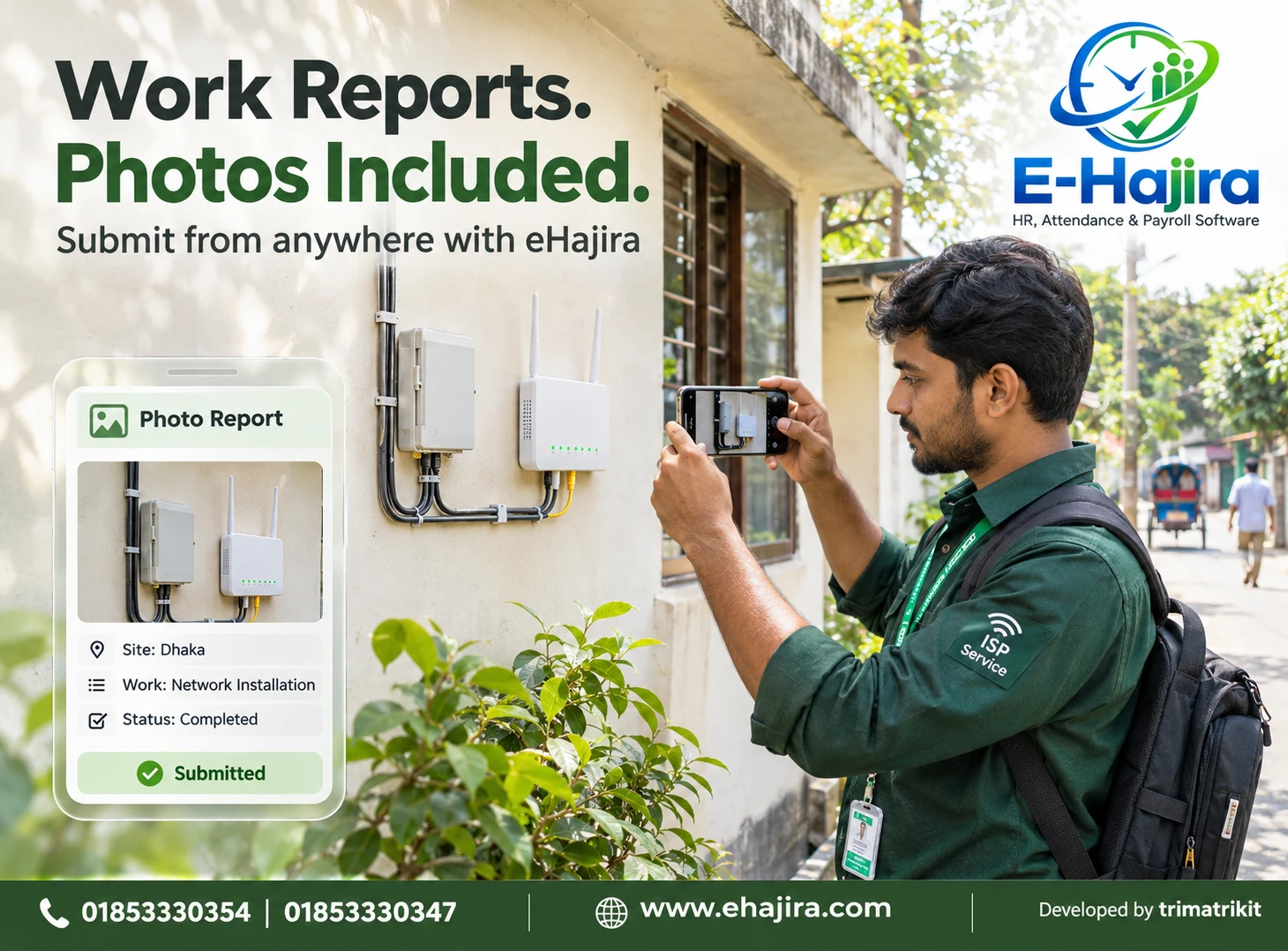
Submit Work Reports with Photos from Anywhere Using eHajira
A technician finishes an installation at a customer’s premises. A sales representative completes an outlet visit. A maintenance employee discovers a damaged component that needs a supervisor’s decision. In each situation, a short written update may leave important questions unanswered. A relevant photograph, supported by a clear explanation, can give the office a better understanding of what happened.
For businesses in Bangladesh, mobile photo reporting offers a practical way to connect employees working outside the office with the people responsible for reviewing their work. Instead of waiting for employees to return with handwritten notes or searching through separate message conversations, an organization can establish a more consistent reporting process.
eHajira is relevant to this discussion because its developer’s published HR software guide identifies photo work reports among its field-work capabilities. However, businesses should confirm the mobile reporting workflow, package access, and available controls in their own deployment before introducing it across a team.
This guide explains how to approach photo-based work reporting with eHajira, what employees should include, how supervisors can review submissions, and how Bangladesh businesses can introduce the process responsibly. The operational examples are illustrative recommendations rather than claims about results achieved by existing customers.
What Is a Photo Work Report?
A photo work report combines a written description of an activity with relevant images. Its purpose is to help another person understand the work performed, the condition observed, or the problem requiring attention.
For example, an installation report might explain which equipment was installed, what testing was completed, and whether any work remains unfinished. Photographs can show the installed equipment and the surrounding setup. Together, the text and images provide more context than either would provide alone.
A useful report answers the practical questions a supervisor is likely to ask. It identifies the activity, explains the outcome, and states whether further action is needed. Photographs support that explanation; they do not remove the need for it.
What Does “From Anywhere” Mean in Practice?
Submitting work reports from anywhere means employees do not necessarily need to return to the main office before sharing an update. They may submit from a customer site, branch, project location, or another approved working environment.
The phrase should still be understood within practical limits. Employees need an authorized account, a supported device, access to the relevant feature, and the connectivity required by the application. Organizational policies may also determine where and when reporting is appropriate.
Offline capture, delayed synchronization, and location restrictions are separate capabilities. A business should test these directly rather than assume they are included because the software offers mobile access.
Why Photo Reporting Matters for Bangladesh Businesses
A Bangladesh business may have employees visiting customers across a city, maintaining equipment at different branches, or supporting projects outside the head office. The reporting challenge is keeping those activities understandable to the people coordinating them.
Phone calls are useful for urgent discussions, but a conversation alone may not leave a sufficiently organized record. Separate photographs in messaging groups can also become difficult to interpret when the task, date, employee, and explanation are disconnected.
A structured reporting process helps employees provide consistent information. Its value depends on adoption and review: reports must be understandable, connected to the correct work, and examined by someone who can act on them.
Understanding eHajira’s Published Scope
Published eHajira material describes mobile access alongside attendance, employee management, and other HR functions. The developer’s guide also discusses photo work reporting in the context of field employees and ISP operations. These descriptions support evaluating eHajira for mobile workforce reporting, but they do not establish every detail of the photo submission interface.
An organization should therefore request a demonstration of an employee creating a report and a supervisor retrieving it. Questions about photo limits, supported file types, report editing, approval, notifications, and exports should be answered using the actual version and selected package.
This approach keeps expectations clear. A published feature description establishes relevance; a working demonstration establishes whether the organization’s required process is supported.
Photo Reports and Attendance Records Serve Different Purposes
Attendance records help answer when an employee checked in or out and how those events relate to a work schedule. A photo work report explains an activity or observed condition.
An employee may be present at a customer site without completing the assigned repair. Equally, an employee may complete a useful report while an attendance issue still requires separate correction. Combining these questions into one assumption can lead to inaccurate management decisions.
The eHajira developer’s guide similarly distinguishes attendance evidence from completed work when discussing field operations. Businesses should review the task outcome alongside any relevant attendance or location information.
Establish the Purpose Before Collecting Images
Before introducing photo reporting, management should define what the reports are intended to support. Installation verification, maintenance updates, outlet visits, and progress reporting require different information.
A technician may need to show equipment condition and test results. An outlet visitor may need to explain whether a display was arranged as agreed. A project employee may need to document an obstacle that requires management approval.
When the purpose is clear, employees can submit a small number of useful images. Without that clarity, reporting can become an exercise in uploading photographs that nobody needs or reviews.
Prepare Employee Access and Responsibilities
Employees should use their own authorized accounts so submissions can be associated with the correct person. Shared credentials make it harder to establish responsibility and can expose information beyond the intended team.
The organization should also explain who reviews each report. Depending on the business, that person may be a service supervisor, branch manager, operations coordinator, or another designated reviewer.
Before launch, test access from both sides. The employee should be able to perform the required submission, while the reviewer should be able to find the report without receiving unnecessary access to unrelated employee or business information.
Identify the Correct Job or Activity
A photograph of equipment may be difficult to interpret without a job reference. Employees should clearly identify the customer visit, service activity, branch, or assignment to which their report relates.
If the deployed eHajira interface provides a suitable task or project association, demonstrate how employees use it. Where the available form differs, establish a consistent reference in the written description.
The organization should avoid creating unnecessary complexity. A short, recognizable reference that supervisors can match to the work is more useful than an elaborate naming system employees struggle to follow.
Write a Clear Explanation
The written explanation should describe what was done, what was observed, and what happens next. “Work completed” may be insufficient when the supervisor needs to know which part of the job was finished.
A more useful installation update might state that the equipment was mounted, the connection was tested, and the customer demonstration was completed. If an issue remains, the employee should identify it explicitly.
Reports should distinguish observation from assumption. “The connection failed during testing” describes an observed result. Naming a cause that has not been checked could mislead the reviewer and delay the appropriate response.
Capture Photographs That Explain the Work
Relevant photographs should make the important condition visible. An overall image can establish context, while a closer image can show the specific component or issue.
Employees should check focus, lighting, and framing before submission. A blurry photograph may force the supervisor to request another visit or another image. An image taken too close may show detail without revealing what equipment it belongs to.
Photography must fit the working environment. Employees should use approved, safe positions and follow site rules. A report should never depend on taking a photograph while driving or entering an unsafe area.
Use Before-and-After Images When They Add Value
Before-and-after images can help explain maintenance, installation, or corrective work. A photograph taken before work begins may show the problem, while a later image may show the changed condition.
For a meaningful comparison, employees should try to use a similar viewpoint. The written explanation should identify what changed and what was tested.
However, a visual difference does not automatically establish technical success. Equipment may look correctly installed while still failing a functional test. Reports should include the relevant test outcome rather than rely entirely on appearance.
Confirm Submission Before Leaving the Process
Selecting photographs or completing a form does not necessarily mean the report has reached the system. Employees should understand how their deployed application indicates successful submission.
During training, demonstrate the difference between preparing a report and completing the upload. If a report history or confirmation is available, show employees how to verify it.
When the connection is interrupted, employees should follow the organization’s agreed recovery procedure. Repeatedly pressing a submission control without checking the result can create confusion and, depending on system behavior, duplicate records.
Handle Connectivity Problems Deliberately
Field employees may work in buildings or locations where their available connection is inconsistent. The organization should test the reporting process under realistic conditions using the devices employees will actually carry.
If offline reporting is supported, employees need to understand when information remains on the device and when it reaches the central system. If it is unavailable, the business needs a practical alternative for urgent updates.
A delayed submission should not automatically be treated as delayed work. Supervisors should distinguish the time an activity occurred from the time the report was uploaded, where that information can be established.
How Supervisors Should Review Reports
A supervisor should assess whether the written explanation and images provide enough information to understand the outcome. A report may need clarification even when all required fields have been completed.
The review should consider whether the activity reference is correct, whether the images are relevant, and whether any unresolved issue requires action. A photograph attached to the wrong job can be as misleading as an incomplete report.
Organizations should define what happens when a report needs correction. If eHajira supports a suitable review or approval workflow in the selected deployment, demonstrate it. Otherwise, agree on a documented follow-up process without assuming a particular status or button exists.
Submitted Does Not Necessarily Mean Approved
Submitting a report shows that an employee has provided information. It does not necessarily show that the work has been accepted, verified, or approved.
Some activities require a technical review, a customer response, or a second inspection. Supervisors should make those expectations clear before employees begin reporting.
This distinction is especially important when reports support decisions about job closure, expenses, or payment. The organization should define the evidence required for each decision and avoid treating a successful upload as automatic authorization.
A Practical Example for an ISP Team
Consider an ISP technician attending a customer complaint in Dhaka. The technician records the relevant job reference, explains the connection issue, and documents the equipment condition where photography is permitted.
After completing the work, the technician describes the corrective action and the result of the connection test. Relevant images support the update, while the written report identifies any unresolved matter.
The supervisor can then review the information and decide whether further action is necessary. This is a proposed reporting approach; whether task linking, customer acknowledgement, or approval can be handled within eHajira must be confirmed in the organization’s setup.
A Practical Example for Maintenance Operations
A maintenance employee visiting a branch notices damage to an equipment enclosure. A photograph may help the office understand the condition without relying entirely on a verbal description.
The employee should explain what was observed, whether the equipment remains usable, and whether a decision is required before work continues. The report should not claim a full repair if only a temporary measure was taken.
This makes the update useful for planning. Management can evaluate the next action, arrange additional support, or request more information based on a clearer record.
A Practical Example for Sales and Outlet Visits
A sales representative may need to report an outlet visit, product display, or agreed promotional activity. Photographs can show the relevant arrangement, while the written explanation records the business purpose and outcome.
The employee should avoid including unrelated customers, private documents, or sensitive commercial information in the frame. Site permission and the organization’s own rules should guide what is photographed.
An outlet photograph should also not be treated as proof of a sale. Visit reporting, order recording, and payment confirmation are different business processes that may require separate systems or verification.
Protect Customer and Employee Information
Work photographs can unintentionally include faces, identification documents, passwords, computer screens, or private premises. Employees should be trained to capture only what is necessary for the report.
Management should determine who may view, download, share, and remove submitted images. Retention periods should reflect business needs and the organization’s applicable responsibilities.
Security should be evaluated through actual permissions and documented arrangements. The presence of cloud storage alone does not establish that every reporting practice is appropriate or that all information is protected from misuse.
Understand Location and Timestamp Information
A business may want location or time information to help interpret reports. Before relying on it, management should establish exactly what the system records.
A displayed timestamp might refer to creation, capture, or submission. Location might relate to an attendance event rather than the photograph itself. These differences affect how the information should be interpreted.
Do not assume photo reporting includes GPS-tagged images, continuous tracking, tamper detection, or verified camera capture. Each capability requires separate confirmation if it matters to the business process.
Keep Reporting Separate from Automatic Payroll Decisions
A photo report may help explain work performed, but it does not automatically establish payable hours, approved overtime, or an authorized expense.
For example, a technician may submit a report after normal office hours even though the work happened earlier. Using submission time alone to calculate overtime would produce a misleading result.
If a business intends to use reports alongside attendance, conveyance, or payroll, it should define the relationship carefully. Any supported integration must be demonstrated, and the relevant approval responsibilities should remain clear.
Introduce the Process Through a Small Pilot
A practical introduction begins with a limited team and a few common reporting situations. Employees can test real submissions while supervisors assess whether the information is useful.
The pilot should examine report clarity, upload reliability, review effort, and the amount of follow-up required. It should also reveal whether the requested photographs are necessary or excessive.
Use the findings to refine instructions before expanding. A short process that employees understand and supervisors consistently review is more valuable than a complicated reporting requirement with low participation.
Assess Costs and Long-Term Use
Businesses should confirm whether photo reporting and the required mobile access are included in their selected eHajira package. Storage, implementation, training, and any additional services should be understood before agreement.
Long-term access matters as well. Ask how reports can be retrieved, what export options exist, and what happens when an employee leaves or the service arrangement changes.
Avoid assuming that attendance exports automatically include photo work reports. Request a sample output containing the information the organization needs to retain.
Frequently Asked Questions
1. What is a photo work report in eHajira?
It is a work update supported by relevant photographs. eHajira’s published developer material identifies photo work reporting as a field-work capability. The exact submission form, available fields, and review process should be confirmed in the selected deployment.
2. Can employees submit reports without returning to the office?
That is the intended benefit of mobile reporting when the required access and connectivity are available. Employees should use approved accounts and follow the organization’s reporting rules. “From anywhere” does not mean every device, location, or connection is automatically supported.
3. Is photo reporting the same as selfie attendance?
No. Selfie attendance concerns an attendance event supported by an employee image. A work report documents an activity, condition, or outcome. Organizations should train employees to use the appropriate process for each purpose.
4. Does a photograph prove that a job is complete?
A photograph provides visual context, but it may not demonstrate functional success or full completion. Supervisors may also need a written explanation, testing results, or another form of verification appropriate to the job.
5. Can reports be submitted without internet access?
Offline behavior must be tested in the actual application. Do not assume offline capture or automatic synchronization is available. If a connection is required, establish an alternative procedure for urgent communication and later reporting.
6. How many photographs can an employee attach?
The supported number and file-size limits should be confirmed with the eHajira team. Organizations should then define a practical reporting standard based on relevance rather than asking employees to upload as many images as possible.
7. Can employees upload existing gallery images?
Camera capture and gallery selection are separate interface capabilities. Confirm which options are supported and decide which are appropriate for the organization. If fresh images are required, explain how employees should comply and how reviewers assess them.
8. Are photographs automatically GPS-tagged?
This should not be assumed. Mobile attendance location and photo metadata may operate differently. Ask for a demonstration showing exactly which location information is collected, where it appears, and how it relates to the report.
9. Can managers see reports immediately?
Visibility depends on successful submission, connectivity, system behavior, and permissions. Ask how a reviewer finds new reports and whether notifications are supported. A completed upload should not be confused with a manager having read the report.
10. Can an employee edit a submitted report?
Editing and correction behavior should be demonstrated. The organization should understand whether changes are permitted, who may make them, and whether previous information remains available. Employees also need an agreed process for correcting mistakes.
11. Does eHajira automatically approve submitted work?
A successful submission should not be interpreted as automatic work approval. Confirm whether a review workflow is available and define who has authority to accept the work. Technical acceptance may require evidence beyond the photographs.
12. Can Bangladesh ISP businesses use this reporting approach?
ISP installation and maintenance activities are relevant use cases. A business can evaluate reports for documenting equipment conditions, corrective actions, and unresolved issues. Its actual job references, technical tests, and supervisor review process should be included in a demonstration.
13. Is photo reporting useful for office employees?
It may be useful for activities involving a visible condition, such as equipment setup or maintenance. It is less suitable when a document or another record explains the work more clearly. Reporting requirements should match the activity.
14. What should employees write with their photographs?
They should identify the activity, describe what was done or observed, explain the outcome, and state any remaining action. The description should be understandable to a reviewer who was not present when the work occurred.
15. What happens if the upload fails?
Employees should follow the demonstrated recovery process and confirm whether the original submission reached the system before trying again. Urgent matters should also be communicated through the organization’s agreed channel rather than waiting silently for a technical issue to resolve.
16. Can reports include customer information?
Only necessary and permitted information should be included. Employees should avoid capturing private documents, passwords, or unrelated people. Access and retention should follow the organization’s rules and the requirements applicable to its work.
17. Can photo reports calculate employee productivity?
They can provide context for management review, but report counts alone do not measure productivity. Jobs vary in complexity and quality requirements. Managers should assess outcomes, responsibilities, and relevant circumstances rather than reward the largest number of uploads.
18. Can reports be used to calculate overtime?
A report may support a discussion about work, but its submission time does not establish payable overtime. Working time, eligibility, organizational rules, and approval need separate consideration. Any software connection must be confirmed and tested.
19. Can photo reports support expense claims?
They may provide supporting context where relevant, but an image is not automatically an approved claim. Expense documentation, authorization, and payment should follow the organization’s separate process and any supported software workflow.
20. Can reports be exported with their photographs?
Ask for a sample export from the actual reporting feature. Confirm whether images, descriptions, employee details, and relevant references are included. Export capabilities available for attendance reports should not be assumed to apply to photo work reports.
21. How should a business measure improvement?
Compare practical outcomes such as time spent chasing updates, incomplete submissions, and review delays before and after the pilot. Employee and supervisor feedback also matters. Do not promise a fixed productivity improvement without evidence from the organization.
22. What should be demonstrated before purchasing?
Request a complete employee-to-supervisor reporting example using a typical job. Include image submission, retrieval, permissions, corrections, connection interruption, and the required output. Confirm package inclusions and any additional costs in writing.
Build a Reporting Process That Helps People Act
Photo reporting works best when it gives employees a clear way to explain their work and gives supervisors enough information to make a decision. Relevant images, concise descriptions, and consistent review are the foundation.
For Bangladesh businesses considering eHajira, the next step is to demonstrate a real reporting scenario using the intended employee devices and working conditions. Confirm the available features, establish responsibilities, and begin with a manageable pilot.
To discuss eHajira for your organization, contact 01853330354 or 01853330347, or visit https://ehajira.com/.
Recent Post